×

App Development Company in Bhopal- MaMITs

Website designing in Bhopal 8+ Years dynamic experience in website designing and ecommerce development. App development company Bhopal MaMITs.

1We Support 24x7.
2Call Now - +91-860-2741312
3 Address -

144, Durgesh Vihar, Ayodhya Nagar, Bhopal, Madhya Pradesh ,India : 462022

If you still have problems, please let us know, by sending an email to info@mamits.comThank you!

GET A FREE QUOTE

Please fill this for and we'll get back to you as soon as possible!

MaMITs · LiteMeet v1.8 · Made in India · Vocal for Local

Own your meetings.Own your data.Own the software.

LiteMeet is a complete, Zoom-style HD video-meeting platform that installs on the hosting you already pay for, in about five minutes. Peer-to-peer calls, screen share, recording, whiteboard, live captions and AR filters. No media server. No third-party cloud. And no per-seat fee, ever.

Talk to a human, in English or Hindi: +91 8602 741312 · info@mamits.com

4.8 / 5 from 650 verified deployments

720p30 · 24 fps · 6.2 Mbps · HD+
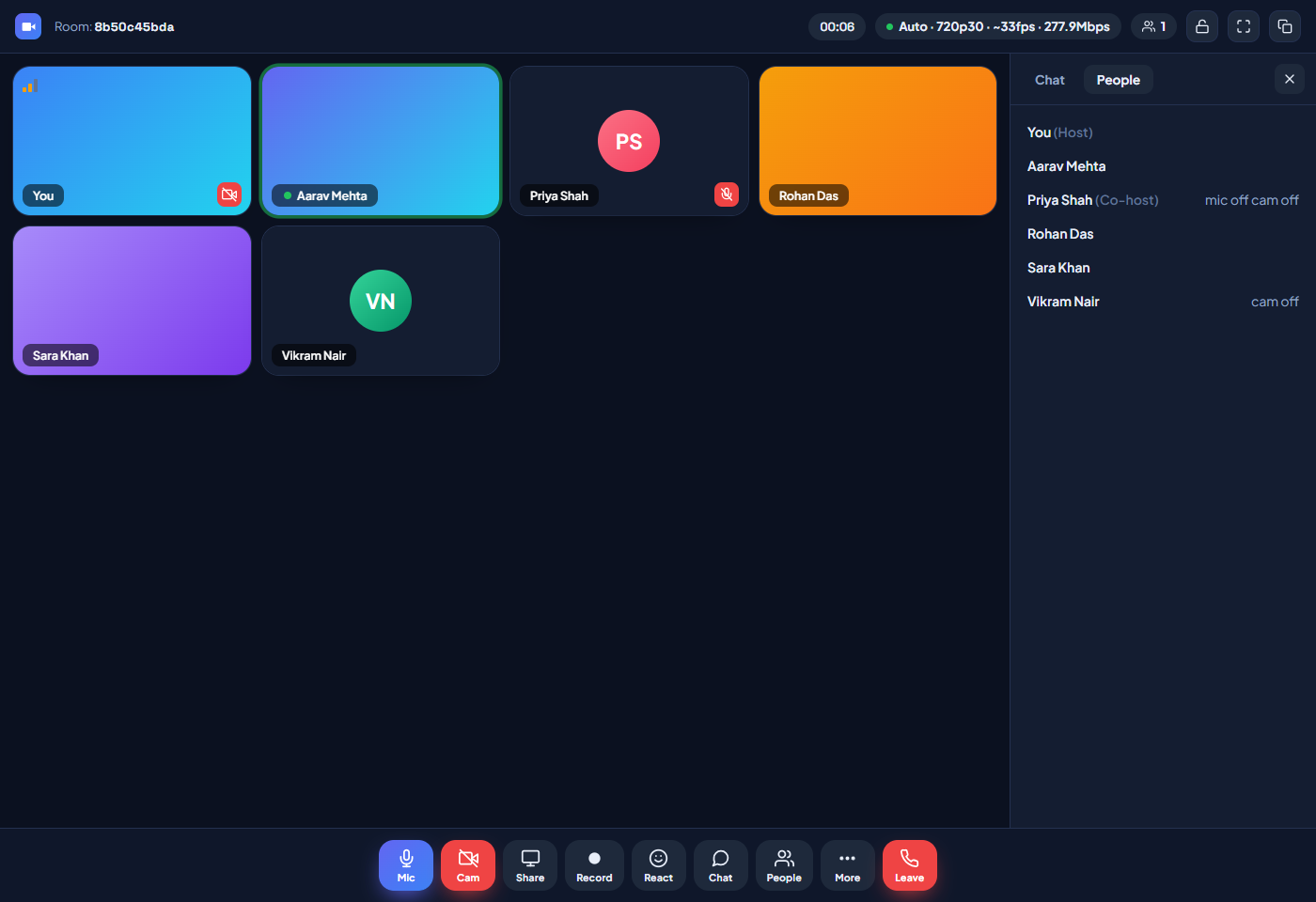
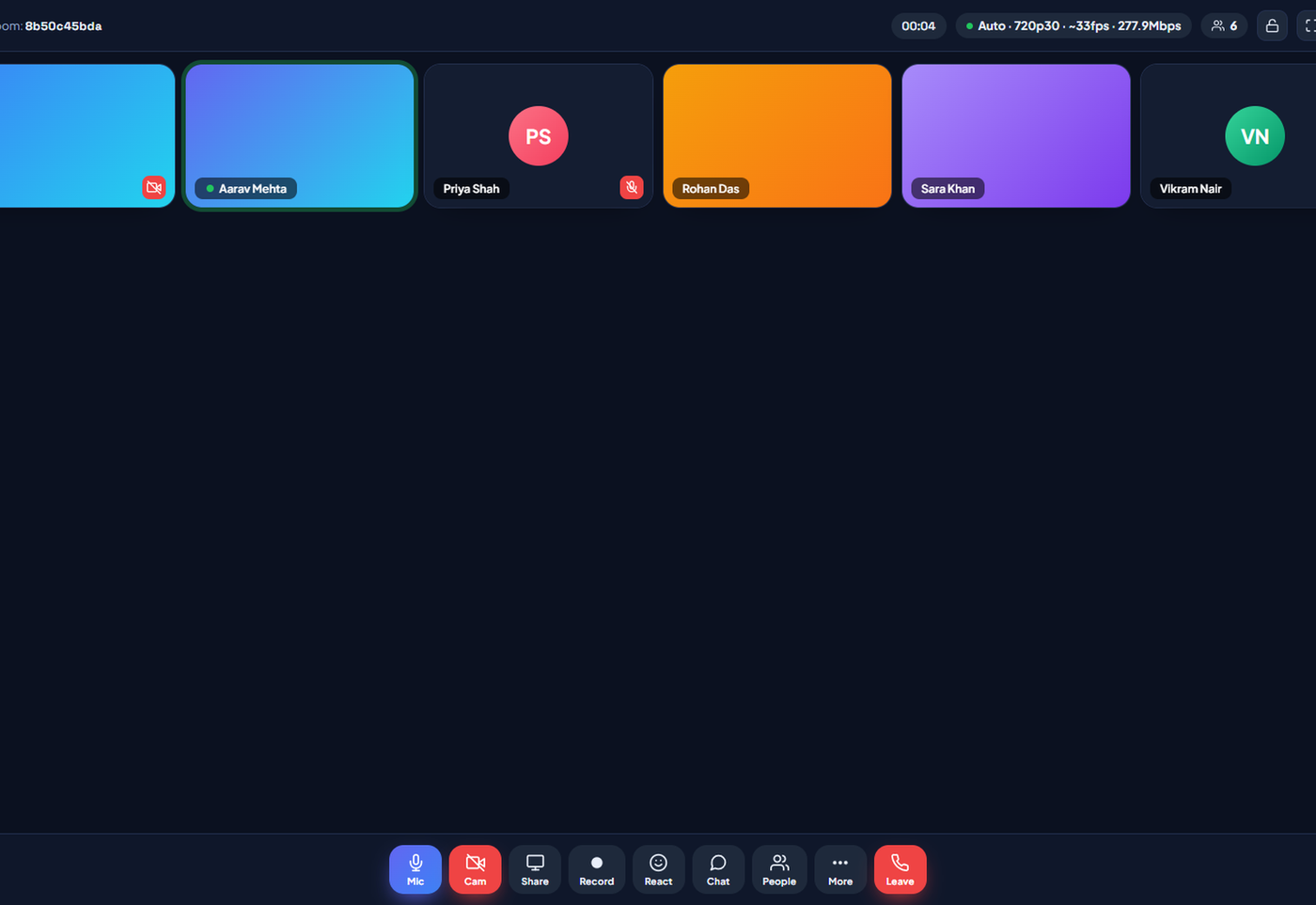
LiteMeet self-hosted video conferencing HD meeting room with six participants
WebRTC P2P720p30 AdaptiveHD-Boost ~9.5 Mbps1080p RecordingShared WhiteboardLive Captions EN + HI30 AR FiltersVirtual BackgroundsWaiting RoomCo-hostsRoom LockPush-to-TalkNoise CancellationPicture-in-PictureFile SharingEmoji ReactionsScreen Share + AudioDark / Light ThemeLive Streaming StudioScheduled WebinarsCountdown Waiting RoomEmail-Gated CommentsPrivate Q&ALive Viewer CountWhite Label ReadyMade in IndiaOne-Time License

0min

ZIP upload to first live meeting

0/seat

Monthly fees. One license, forever

0%

Data on your own server, always

0+

Filters, AR effects & backgrounds

Why we built it

The meeting tax nobody agreed to pay

Somewhere along the way, video calling, a thing every modern browser can do natively, quietly turned into a permanent line item. Twenty seats on a mainstream platform becomes lakhs per year, every year, with no end date. Stop paying, and your meeting history, your recordings and your entire workflow vanish behind a login you no longer control.

The money is only half the discomfort. Every classroom lecture, every patient consultation, every client negotiation you run on a big-cloud platform is processed and stored on someone else's infrastructure, under someone else's terms, in someone else's jurisdiction. For a school that is awkward. For a clinic, a law firm or a government office, it can be an outright deal-breaker.

The usual advice, "just self-host Jitsi or BigBlueButton", sounds tidy until you actually try it. Suddenly you are provisioning a VPS, configuring an SFU, wrestling TURN servers and containers, and signing up for a lifetime of Linux operations. A fair trade for an infrastructure team; a terrible one for a coaching institute on a ₹99-a-month hosting plan.

LiteMeet began with one stubborn question: what is the most complete meeting platform that can run on the cheapest hosting people already have? Not a stripped-down demo. A real product with waiting rooms, moderation, recording, a shared whiteboard, live captions and screen share. Answering it honestly meant rethinking the architecture rather than shrinking someone else's.

So media travels browser-to-browser over WebRTC, the way calls were meant to. Your server never carries the heavy video; it only whispers the signaling. And when a hotel firewall or a bad mobile network blocks the direct route, LiteMeet does not drop the call. It slides down to a lightweight frame-and-audio relay running on your own PHP host, then climbs straight back up the moment the connection heals.

The result is a platform you install once, own outright, and can open up and edit like any of your own code, because from the day you deploy it, it is your own code. That is the entire idea. Everything below is just the detail.

LiteMeet HD video call with a live AR filter applied

The journey

One meeting, start to finish

What actually happens between "we should talk" and "that was easy"? Here is the whole life of a LiteMeet meeting. The line draws itself as you scroll.

Create the room

One click on the dashboard mints a unique room code and a shareable link. Add a password if the meeting is sensitive. It is enforced at the door, not suggested.

dashboard · create_room

Share the link

Guests need nothing else. No app to install, no account to create, no plugin to approve. The invite link is the entire onboarding.

copy invite · one tap

The knock

Each guest types a name and waits in the waiting room. You see the request the moment it arrives and accept or reject with a tap, so nobody enters uninvited.

waiting room · accept / reject

The call

Peer-to-peer HD connects in seconds and settles into the best tier your network allows. Captions, whiteboard, reactions and screen share are one tap away, and the self-healing pipeline quietly guards every frame.

WebRTC · 240p–720p30 adaptive

The record

1080p capture with both sides of the audio mixed in, streamed to your own server in memory-safe chunks. Pause it, resume it. Everyone sees the recording banner the whole time.

recordings/ · your host

The graceful exit

Leave lands on a thank-you page, not a login wall. The room, its full chat transcript and the recording wait in your Meetings history, on your server, for as long as you decide.

thankyou · meetings history

Inside the product

Every screen, on your own domain

From the install wizard to the recordings library, the whole product lives under your URL and your brand. These are the screens your team and your guests will see.

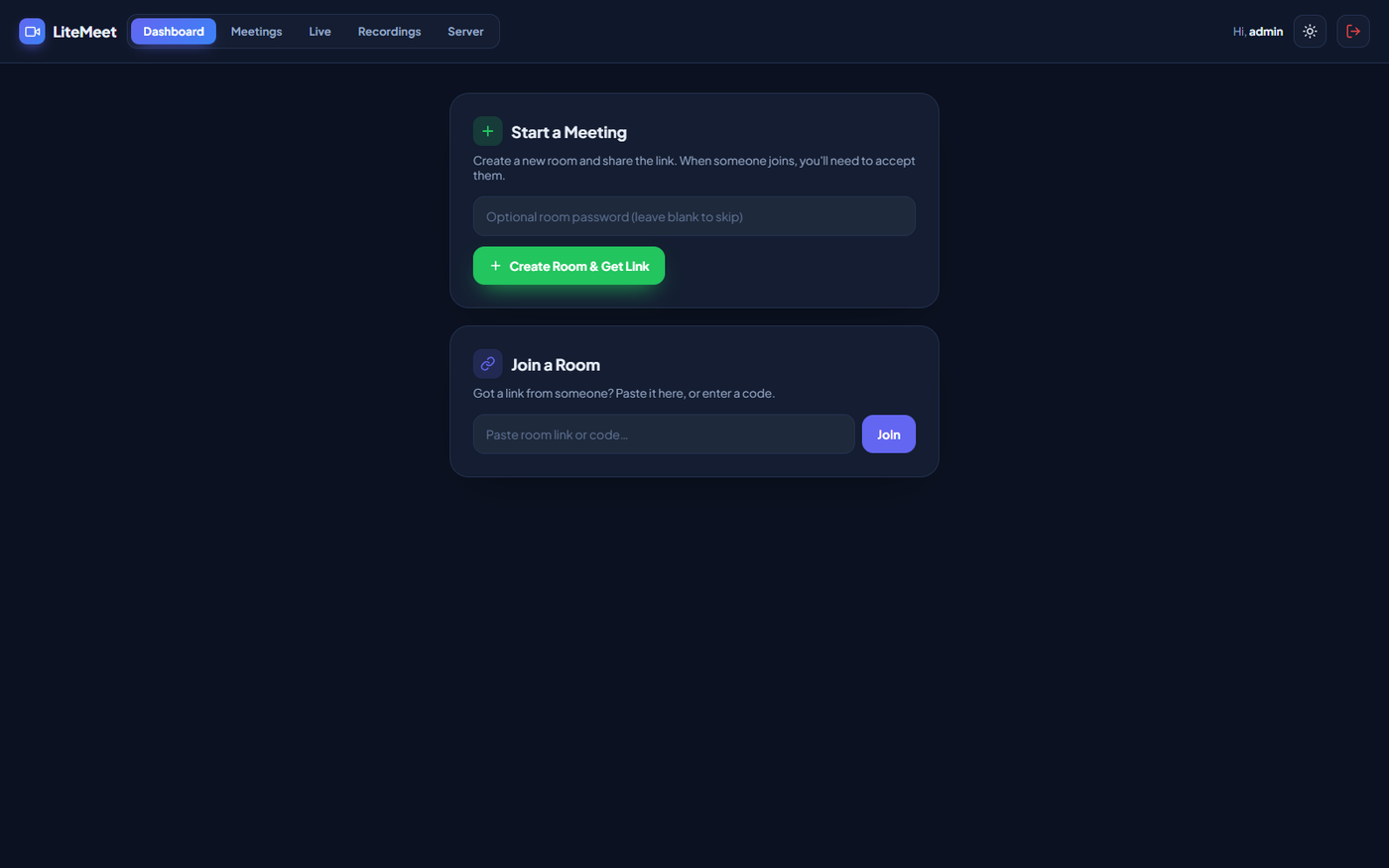
LiteMeet admin dashboard to create a meeting room and copy the invite link
Dashboard: create a meeting, copy the invite, join as host
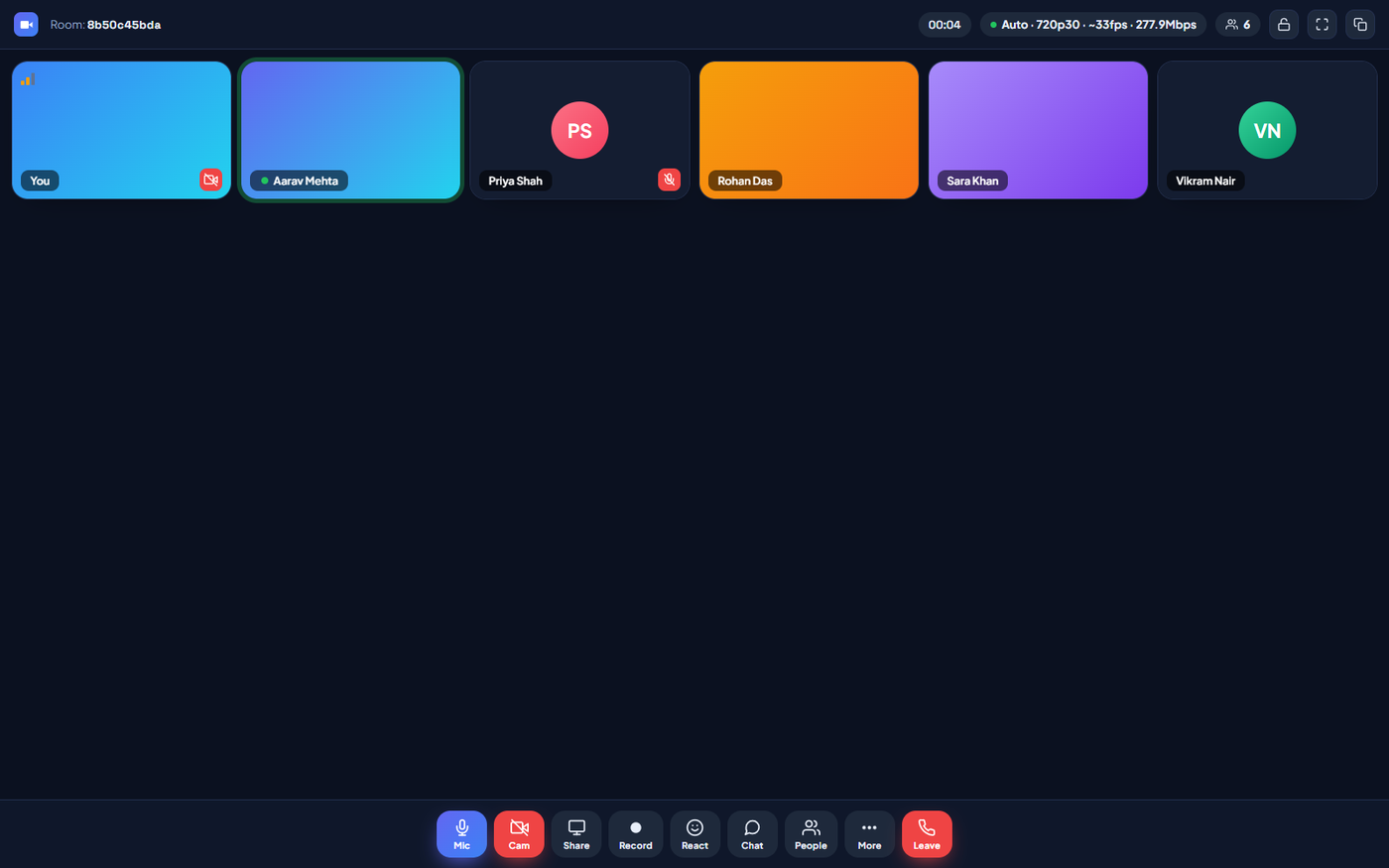
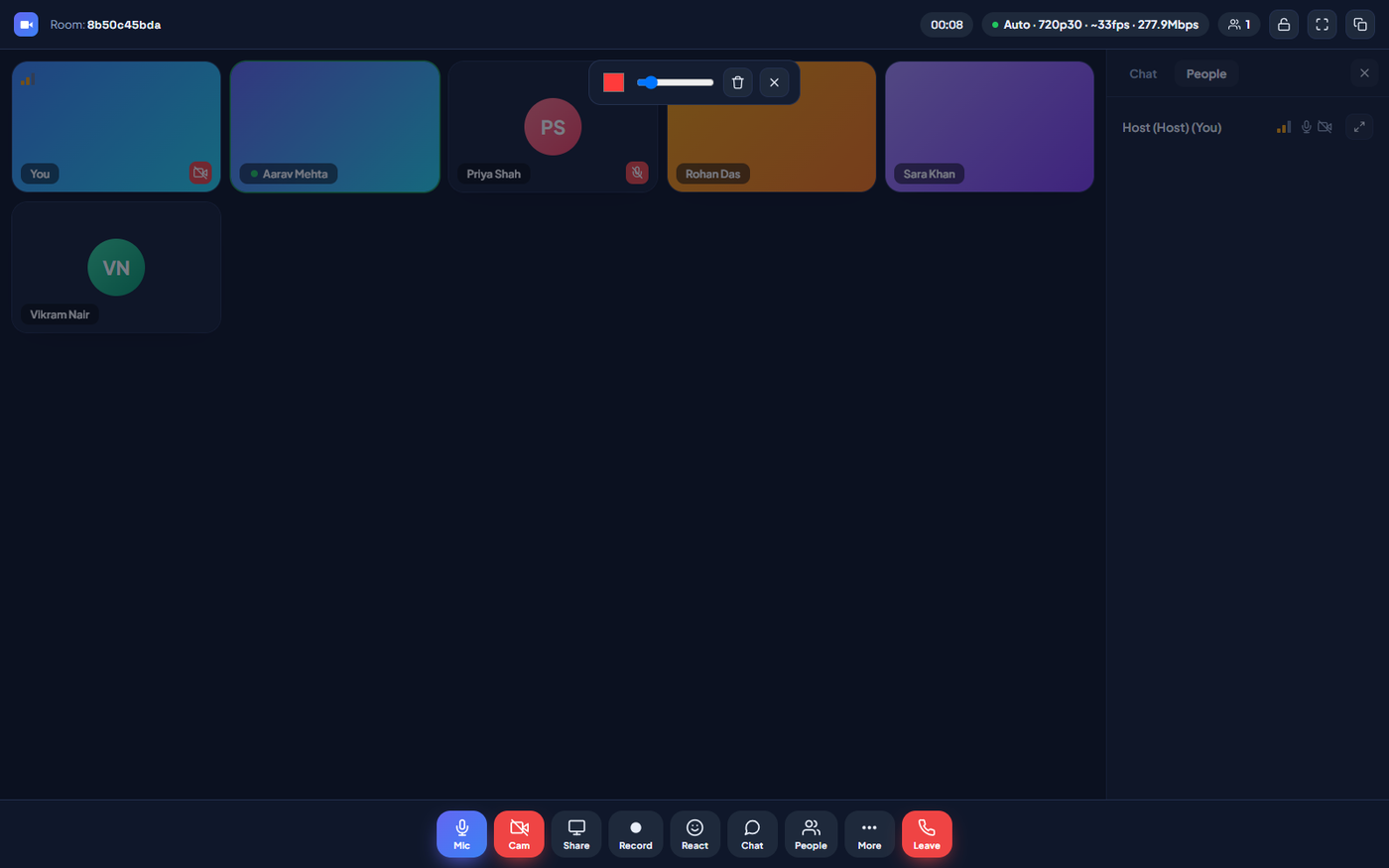
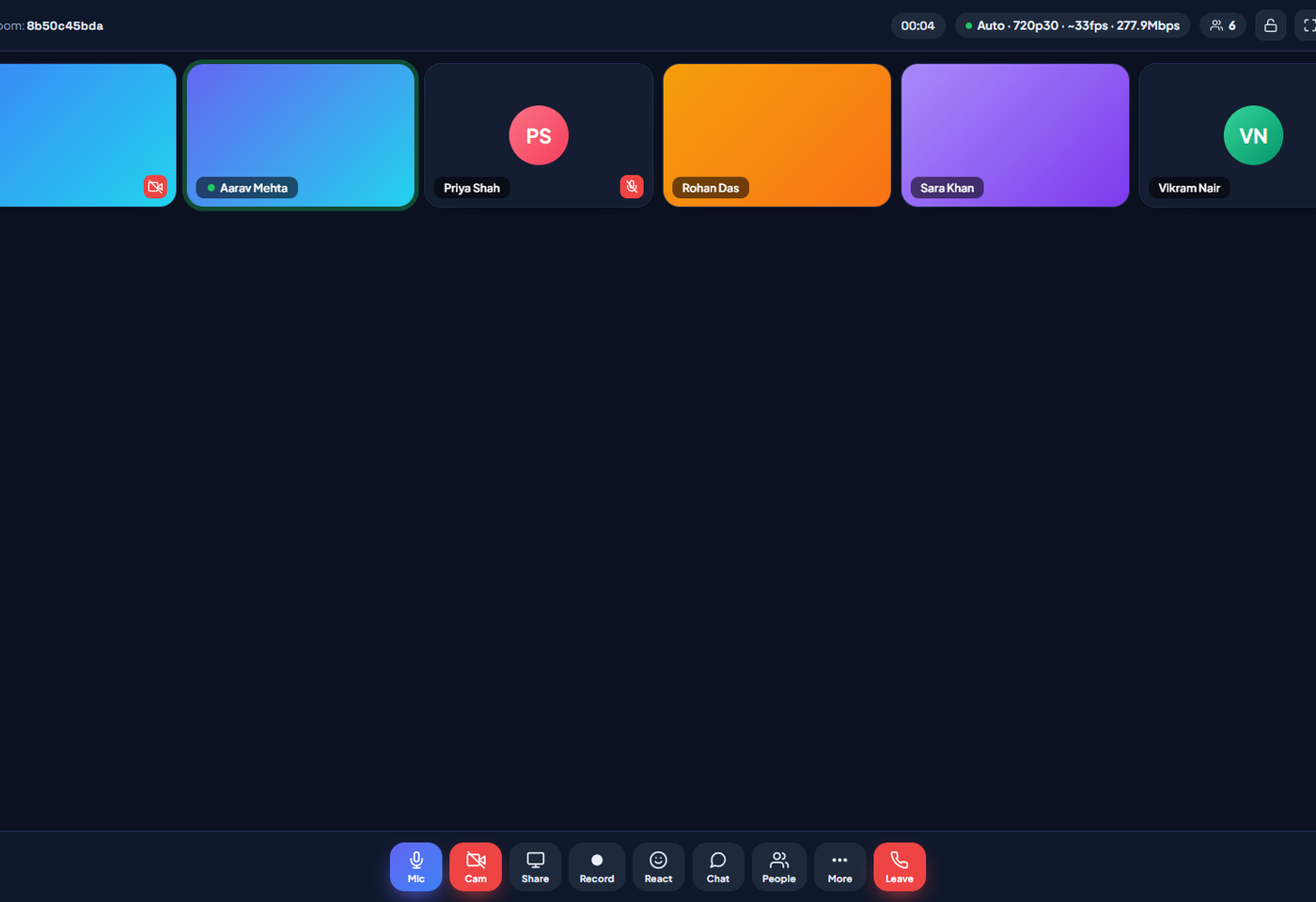
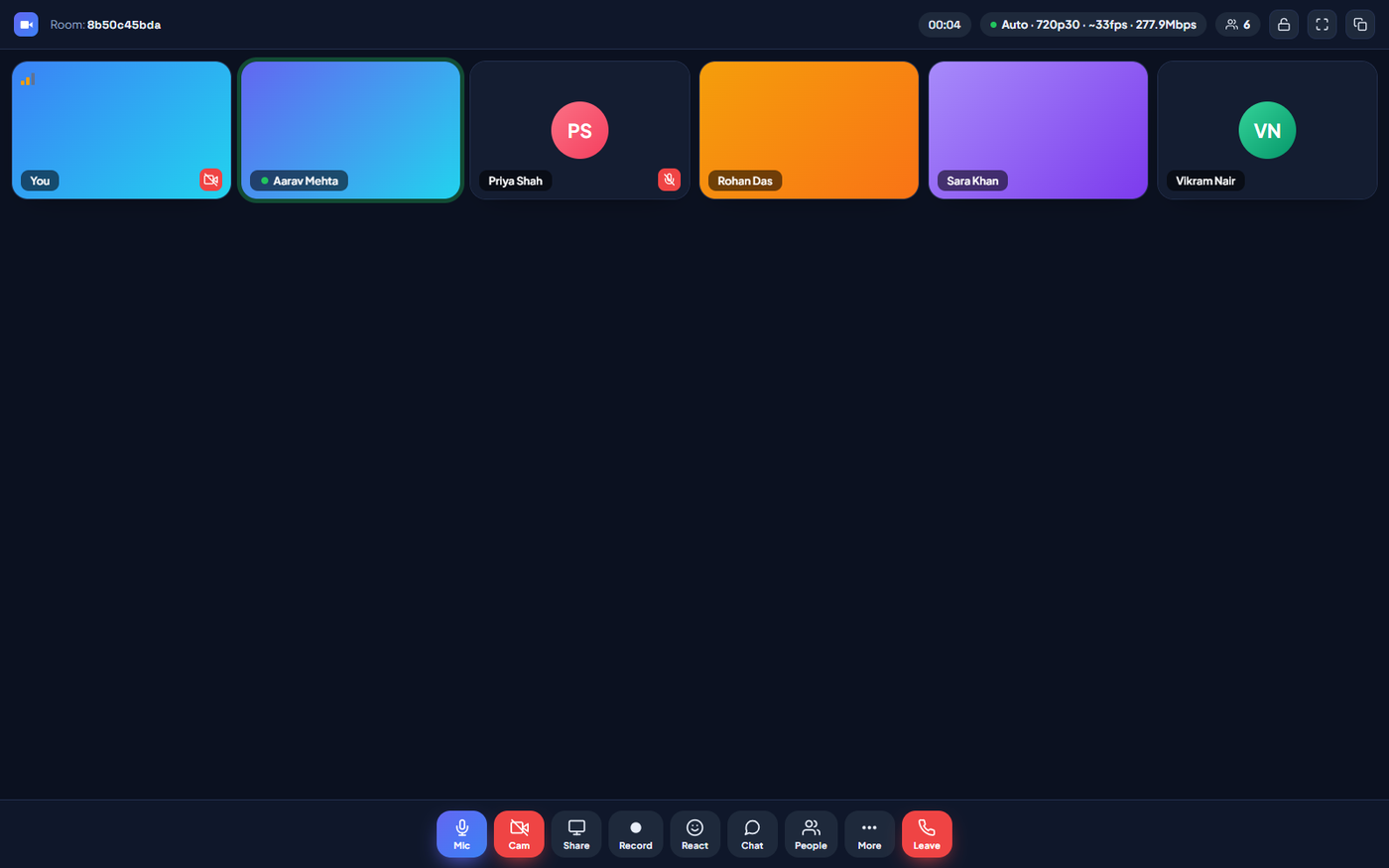
LiteMeet HD video meeting grid view with live participants
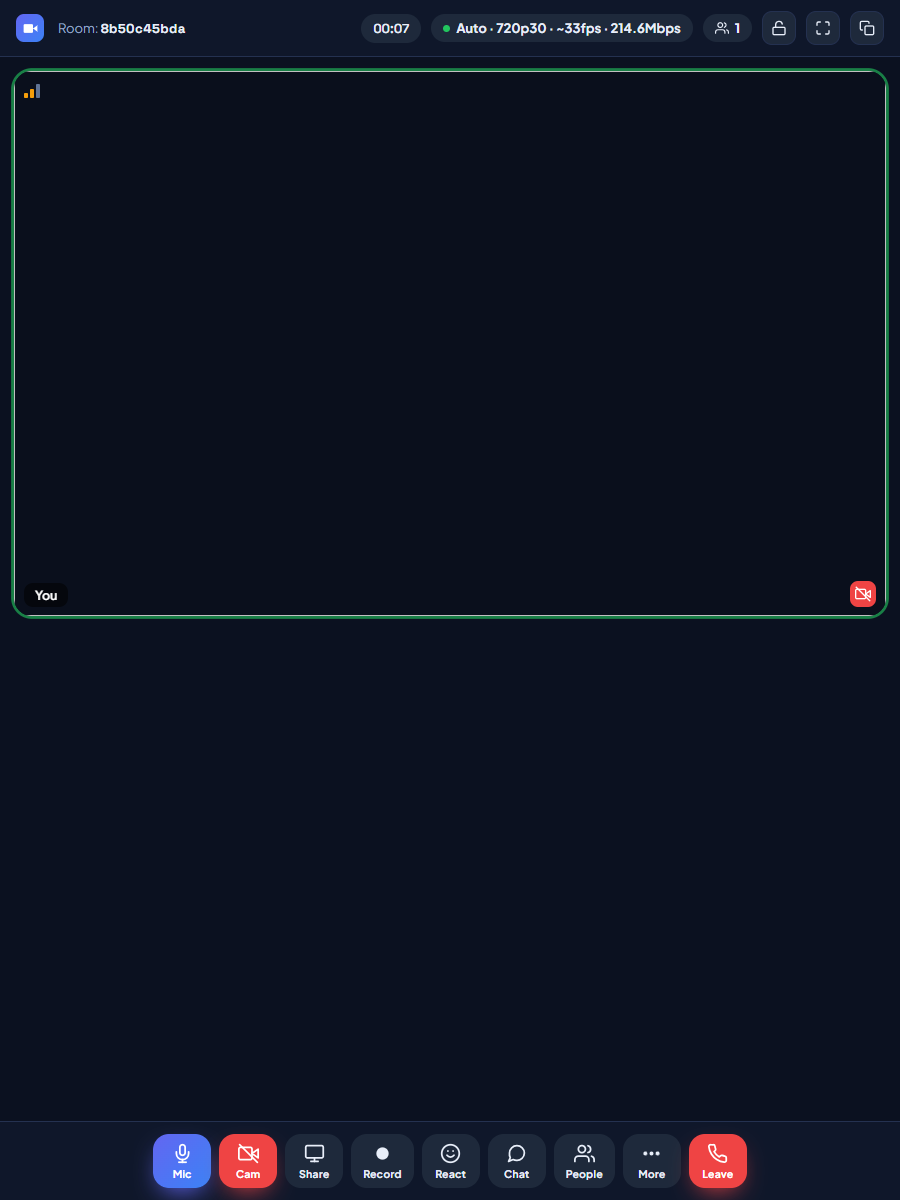
The room: HD grid with per-tile signal bars and live quality readout
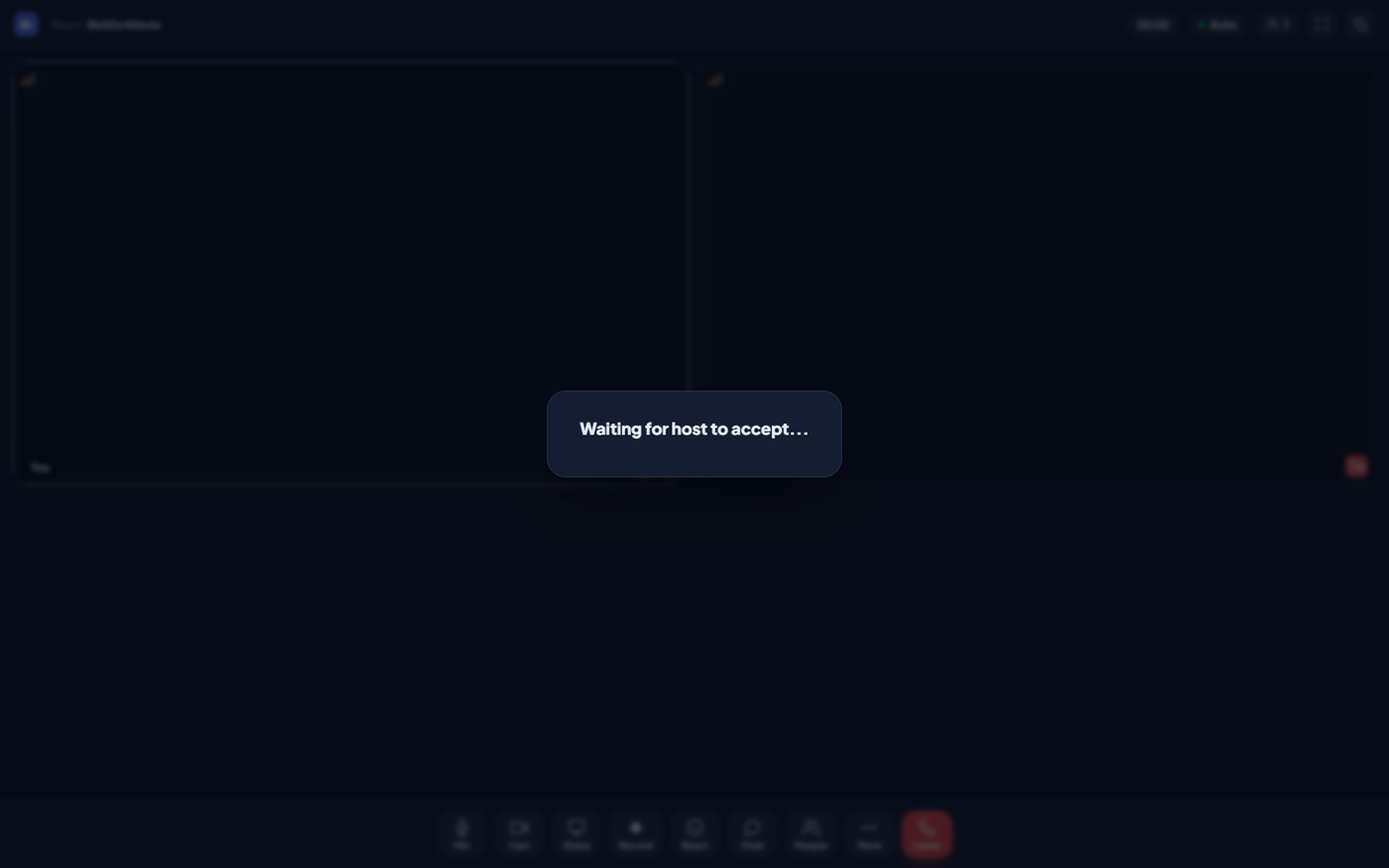
LiteMeet waiting room where a guest waits for the host to accept
Waiting room: guests knock, moderators accept or reject
LiteMeet shared whiteboard used in an online class
Whiteboard: one identical 1280×720 canvas for everyone
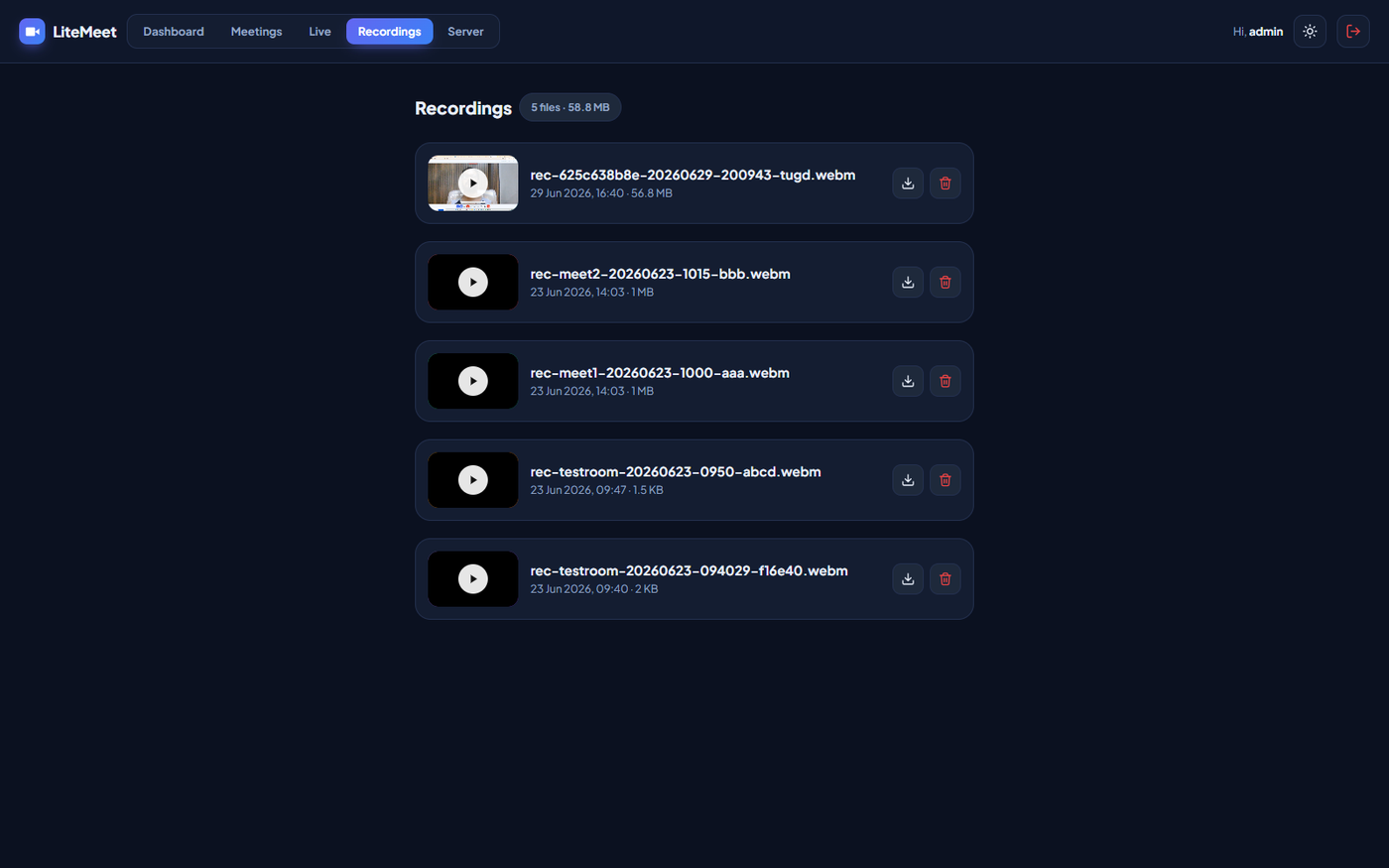
LiteMeet self-hosted meeting recordings library on your own server
Recordings: play, download, delete, stored on your server
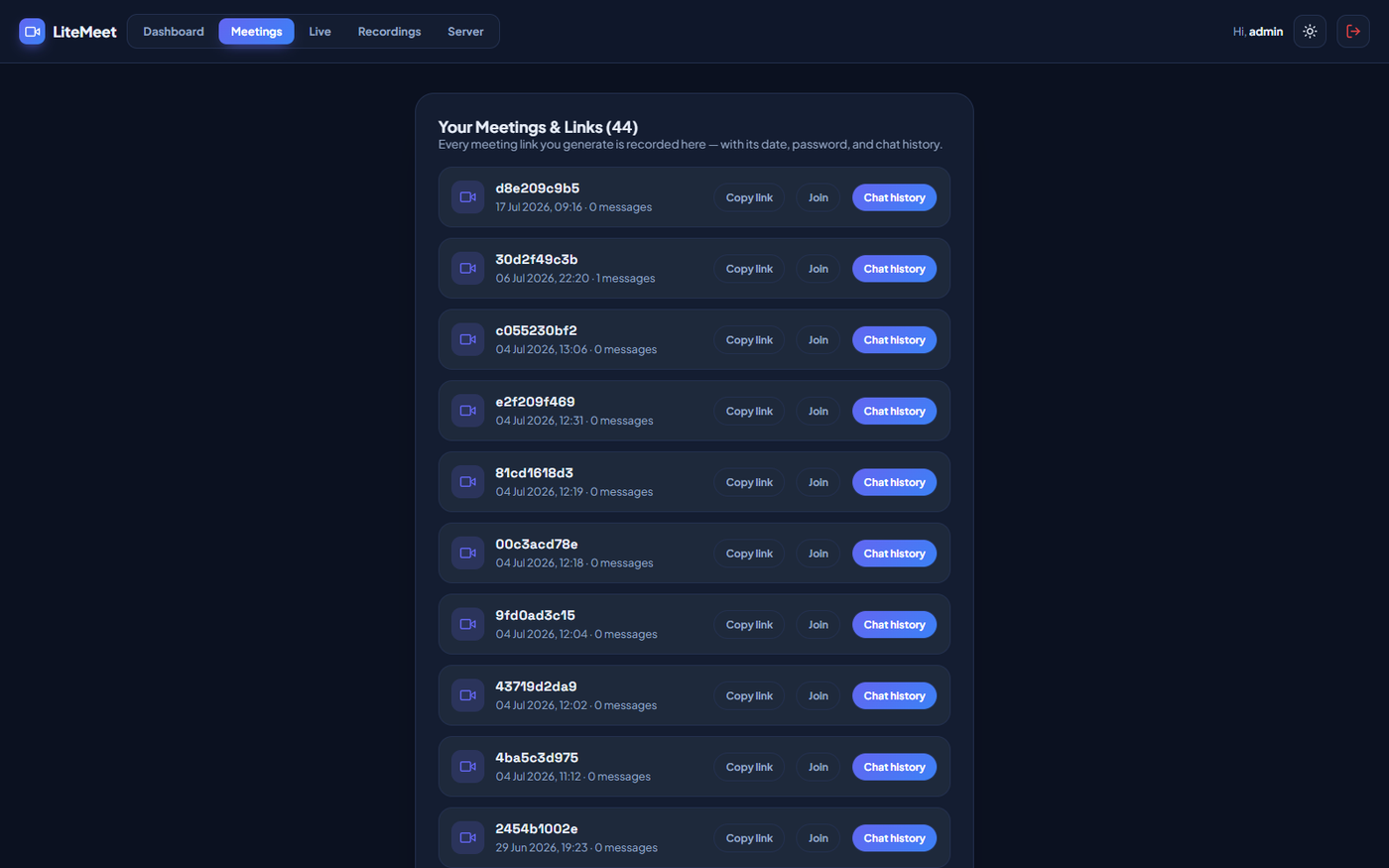
LiteMeet meetings menu with meeting link records and full chat history
Meetings menu: every room logged, full chat transcripts
The honest comparison

Big cloud, heavy self-host, or simply yours

There are three ways to run meetings today. Only one of them runs on the hosting you already own, keeps every byte on your server, and sends you a bill that never renews.

CapabilityZoom / Meet / TeamsJitsi / BBB self-hostLiteMeet by MaMITs
Runs on shared / cPanel hostingNoNo, needs a VPSYes
Media server requiredVendor cloudSFU / JVB + TURNNone. P2P + relay
Who holds your recordingsTheir cloudYouYou
Per-seat monthly feeYes, foreverNoNo
Setup timen/aHours to days~5-minute wizard
Source code editableNoPartly100% editable PHP + vanilla JS
White-label & resellNoComplexBuilt for it
Built-in live streaming studioPaid add-onNoYes, LiteStream included

Still comparing? Send us your current bill on WhatsApp and we will show you the exact saving. WhatsApp +91 8602 741312

The maths, in rupees

What twenty seats really cost in India

We priced the mainstream options the way an Indian buyer actually pays for them: per user, per month, plus GST, forever. Then we put LiteMeet's one-time license next to the shared hosting plans most Indian businesses already own. The gap is not subtle.

What you'd runTypical India list price (mid-2026)20 people, one year
Zoom Pro₹13,764 per license per year on annual billing₹2,75,280, every year
Google Meet, via Workspace Business Standard (the tier that adds recording)₹1,080 per user per month + 18% GST≈ ₹3,05,000, every year
LiteMeet by MaMITs, on your own hostingOne-time license · runs on the ₹99–299/month hosting you likely already pay forHosting only, from about ₹1,200 a year, for everyone

Stretch the same numbers over five years and the shape gets harder to ignore: twenty Zoom Pro seats cost around ₹13.7 lakh at today's list price, before any webinar add-ons, extra cloud storage, or the price revisions that arrive by email and are never downward. The same five years on LiteMeet are one license and a few hosting renewals. The difference stays in your business instead of leaving it every month.

Per-seat pricing also quietly punishes growth. The twenty-first teacher, the new counsellor, the extra sales hire. Each one is another subscription to approve, budget and renew. LiteMeet has no concept of a seat: every staff member can host, and guests join free by link, forever.

A note on honesty, because we would rather earn trust than a click: the figures above are public list prices as of mid-2026, and authorised resellers do discount them, sometimes heavily. But a discount changes the size of the rent, not the fact of it. Whether the invoice is ₹3 lakh or ₹1.5 lakh, it arrives again next year, and the year after, and stops the moment you stop paying, taking your meeting history with it.

Owning the software changes the category of the spend. It stops being a subscription you defend in every budget cycle and becomes what your website already is: a small, boring, predictable hosting bill for an asset that is entirely yours.

Want this maths for your exact team size? Call us and we will work it out with you on the phone. Call now: +91 8602 741312

And in dollars

The same story, anywhere on the map

The seat tax is not an Indian problem, it is a global one. Here is roughly what a 200 person organisation pays each year on 2026 public list pricing, next to what the same organisation pays with LiteMeet.

PlatformApprox. price per user per month200 people, one year
Zoom Pro and BusinessAbout $13 to $18About $31,000 to $43,000, every year
Google Meet via Workspace plansAbout $7 to $22About $16,000 to $52,000, every year
Microsoft Teams paid plansAbout $4 to $12About $9,000 to $28,000, every year
LiteMeet by MaMITsOne-time license, hosted on a server you controlHosting only. A tiny fraction of any per-seat bill

Figures are approximate public list prices as of 2026 and vendors do discount. The point stands either way: their number repeats every year and grows with headcount, ours does not. Questions? Write to info@mamits.com.

The switch

What changes when you stop renting?

Every line below flips as it reaches you, the way each cost, dependency and permission flips the day LiteMeet lands on your server.

A ₹2.75 lakh renewal email, every yearOne invoice, ever
Recordings held in someone else's cloudrecordings/ on your own server
Per-seat licenses to count and defendUnlimited hosts, free guests
Feature flags you rent but never touchSource code you open and edit
An account wall before anyone can joinA link is enough

Under the hood

Engineering that refuses to freeze

01 · Adaptive video pipeline

Six quality tiers that ride the network in real time

Every call continuously balances itself across six tiers, from a resilient 240p up to 720p at 30 frames a second. A self-healing balancer watches latency, stalls and backlog, dropping fast the instant the network sours and climbing back within seconds once it recovers. On a strong link with two peers, HD-Boost opens the pipe to roughly 9.5 Mbps for near-1080p clarity.

  • A 2-second media-stall watchdog: a frozen frame triggers instant fallback plus an ICE restart
  • Server-load aware: quality caps itself when your host is busy; a bandwidth probe sets a safe ceiling
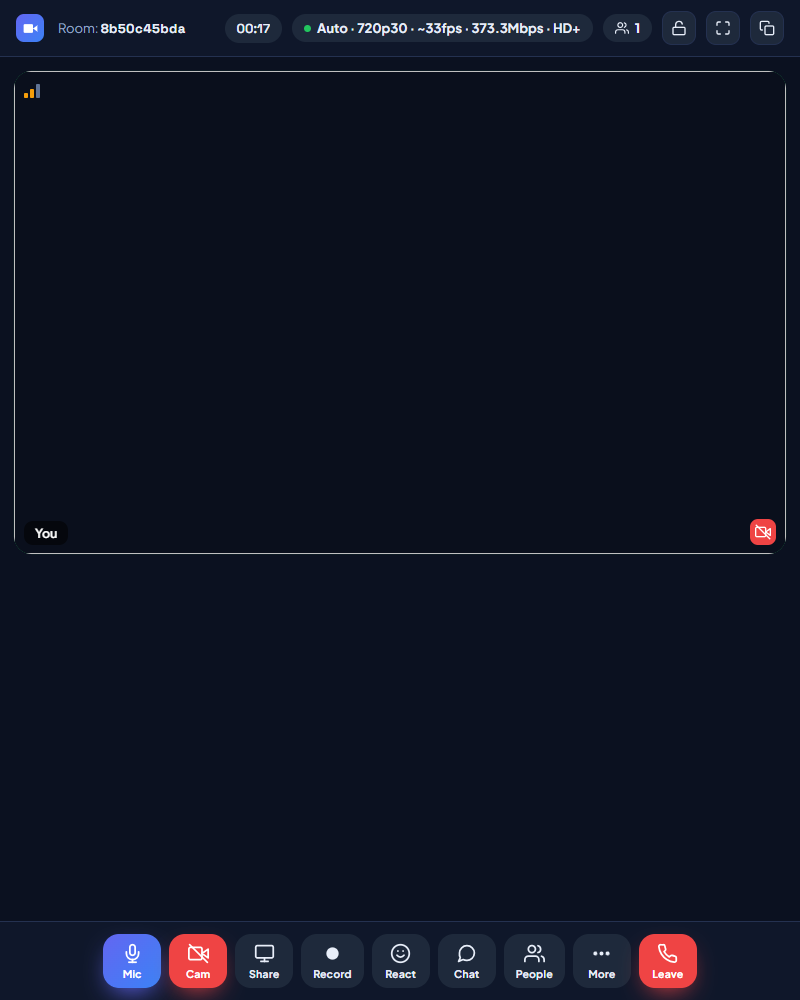
  • Live readout of tier, fps, Mbps and HD+, plus per-tile signal bars, and a manual override from 240p to 720p30
LiteMeet live adaptive video quality readout and manual tier control
The live quality readout and manual tier override

02 · Moderation & access

You decide who gets in, and who stays

Guests knock; you accept or reject with a tap. Password-protect a room, lock it once everyone has arrived, promote a trusted guest to co-host, mute the whole room in one action, or remove a disruptive participant mid-call. Every role is clearly badged in the People panel, so there is never any doubt about who can do what.

  • No accounts for guests: they join by link and name, optionally with a room password
  • Seamless rejoin: a reload or dropped signal quietly reconnects; only Leave exits, and a 5-minute cleanup clears stale seats
  • Co-hosts share the moderation load for large classes and events
LiteMeet people panel with roles, mic state and moderator controls
The People panel: roles, mic state and moderator actions

03 · Recording & audio

Broadcast-grade capture, stored on your server

Record the entire screen in crisp 1080p, 16:9, at around 8 Mbps, with a master mixer that folds together your mic, any shared screen audio and every remote participant. Both sides of the conversation, cleanly. Recordings stream to your host in chunks, so even multi-gigabyte sessions never blow up browser memory.

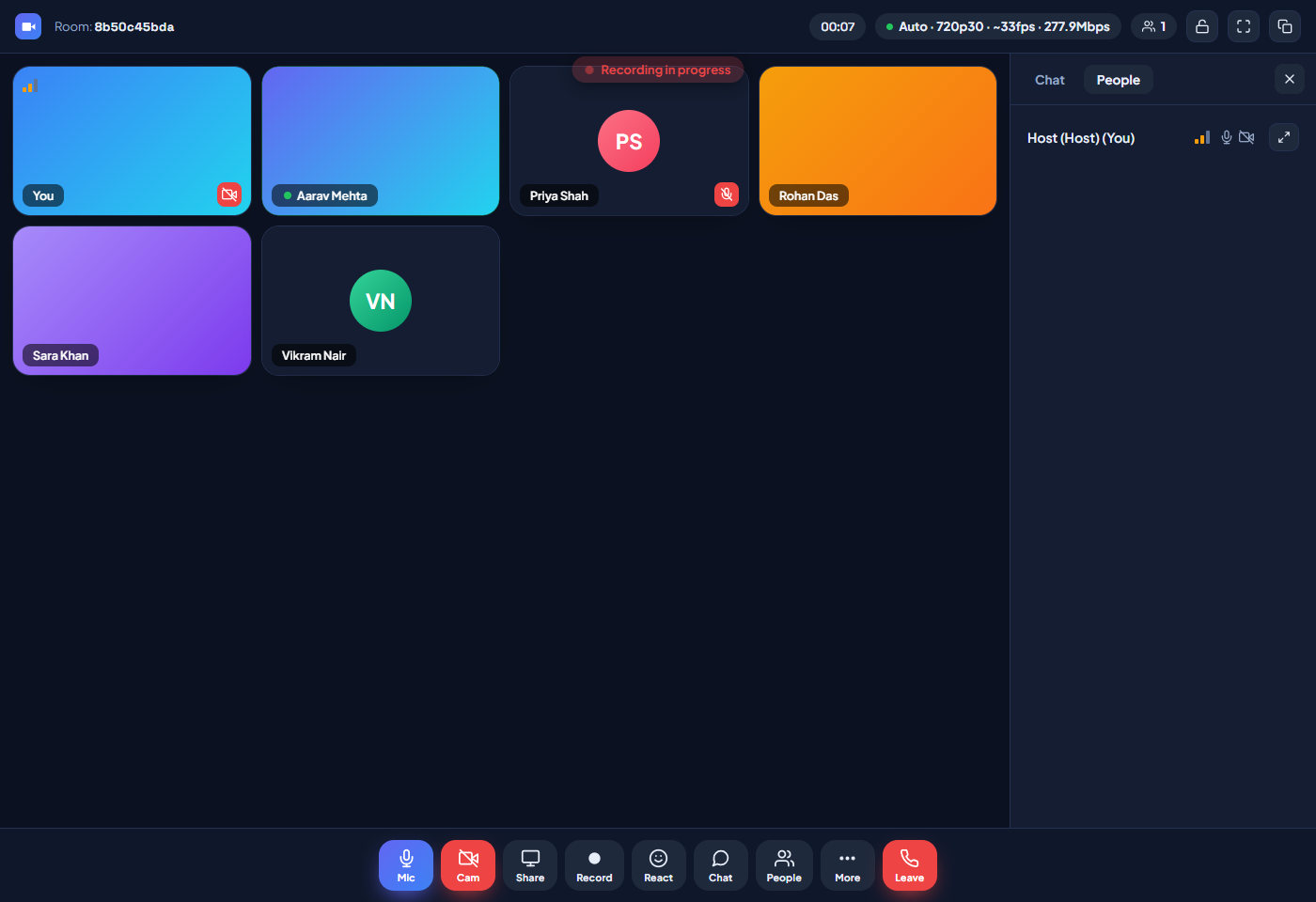
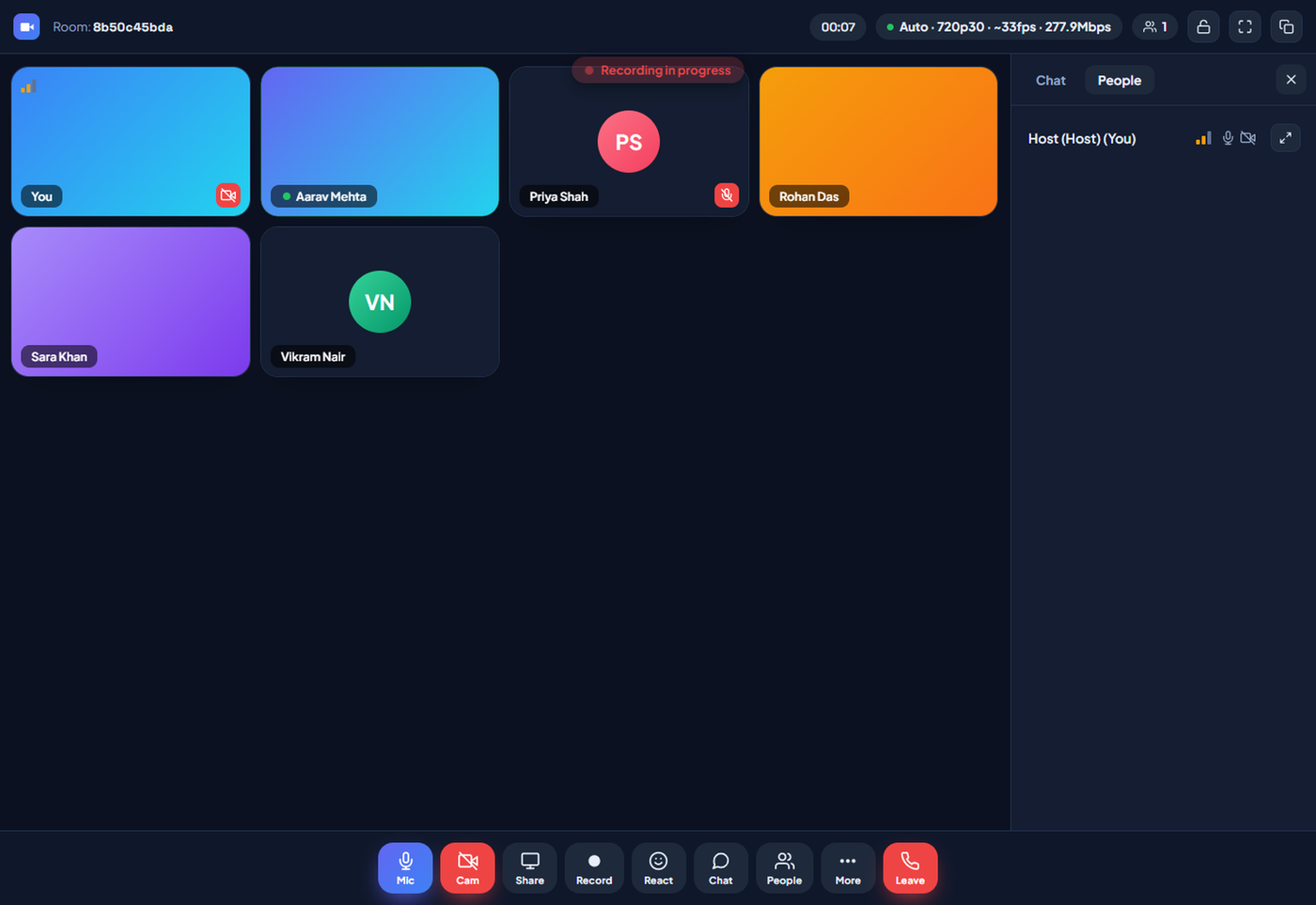
  • Pause and resume mid-recording; a banner and a one-time toast tell everyone when capture is live
  • Noise-X suppression, echo cancellation and AGC keep voices clean; hold Space for push-to-talk
  • Active-speaker detection highlights whoever is talking, in grid and speaker views alike
LiteMeet 1080p meeting recording in progress with both-side audio
1080p capture with the both-side master audio mix
Signature moments

SCENE 01

Every pixel travels
peer to peer.

No middleman server, no detour through someone else's cloud. Your video takes the shortest path on earth: straight to the other person's screen.

WebRTC P2P720p30HD-Boost ~9.5 Mbps
LiteMeet HD video call, cinematic still
720p30 · 24 fps · HD+

SCENE 02

It heals before
anyone notices.

A two-second watchdog, an instant fallback and a quiet climb back to HD. The meeting simply refuses to freeze, on any network, at any hour.

2s stall watchdogAuto fallbackICE restart
LiteMeet self healing network recovery during a call
stall → healed · 1.8s

SCENE 03

Your server. Your rules.
Your story.

Every recording, every transcript, every room lives at an address you own, and nothing leaves it without your say. Privacy here is architecture, not a promise.

100% data ownershipDPDP-friendlyYour own storage
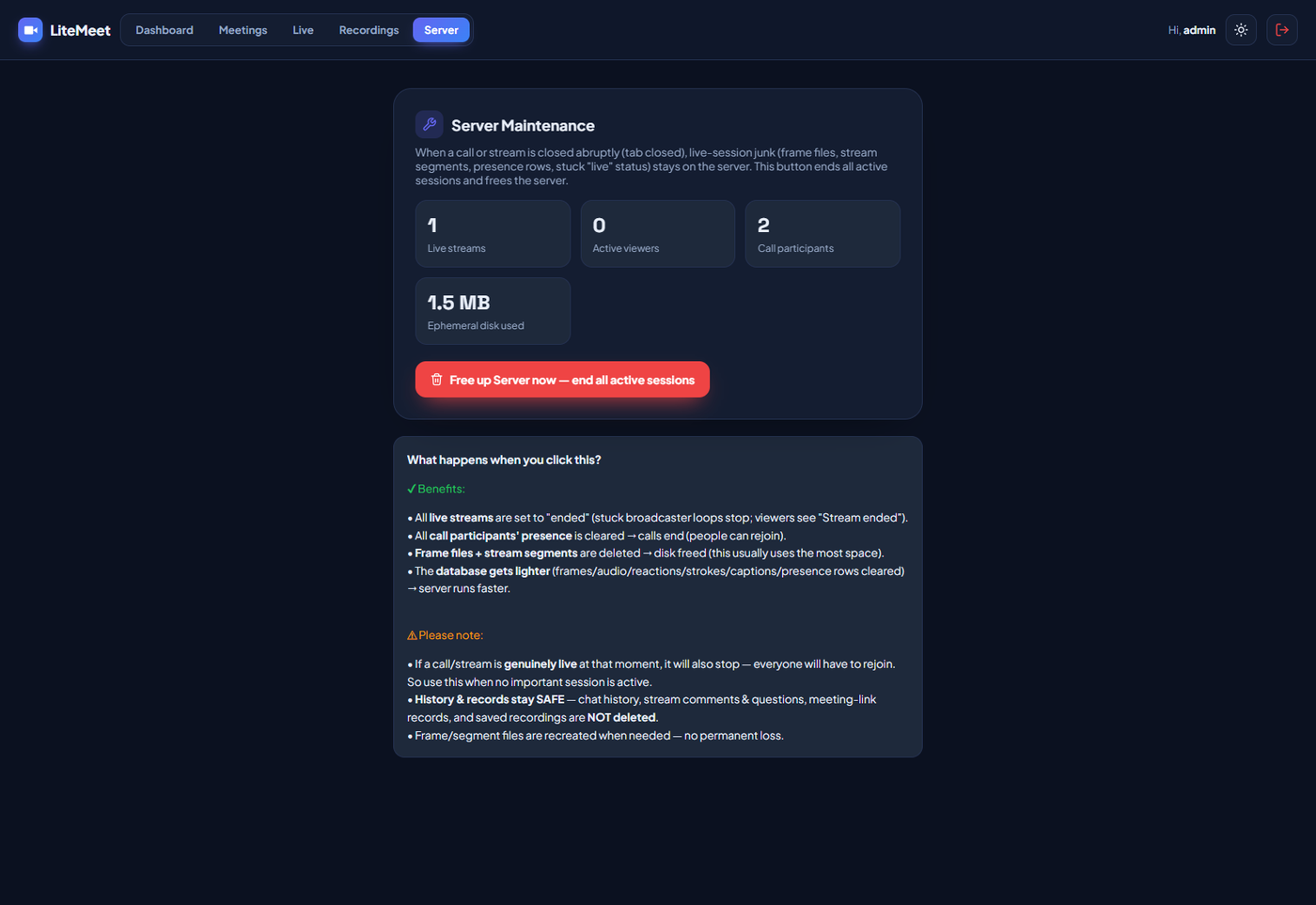
LiteMeet server maintenance page, your data stays on your own server
recordings/ · on your host

SCENE 04

Five minutes
to forever.

One upload, one wizard, one license, and a meeting platform that outlives every subscription you ever cancelled.

5-minute wizardOne-time licenseYours for life
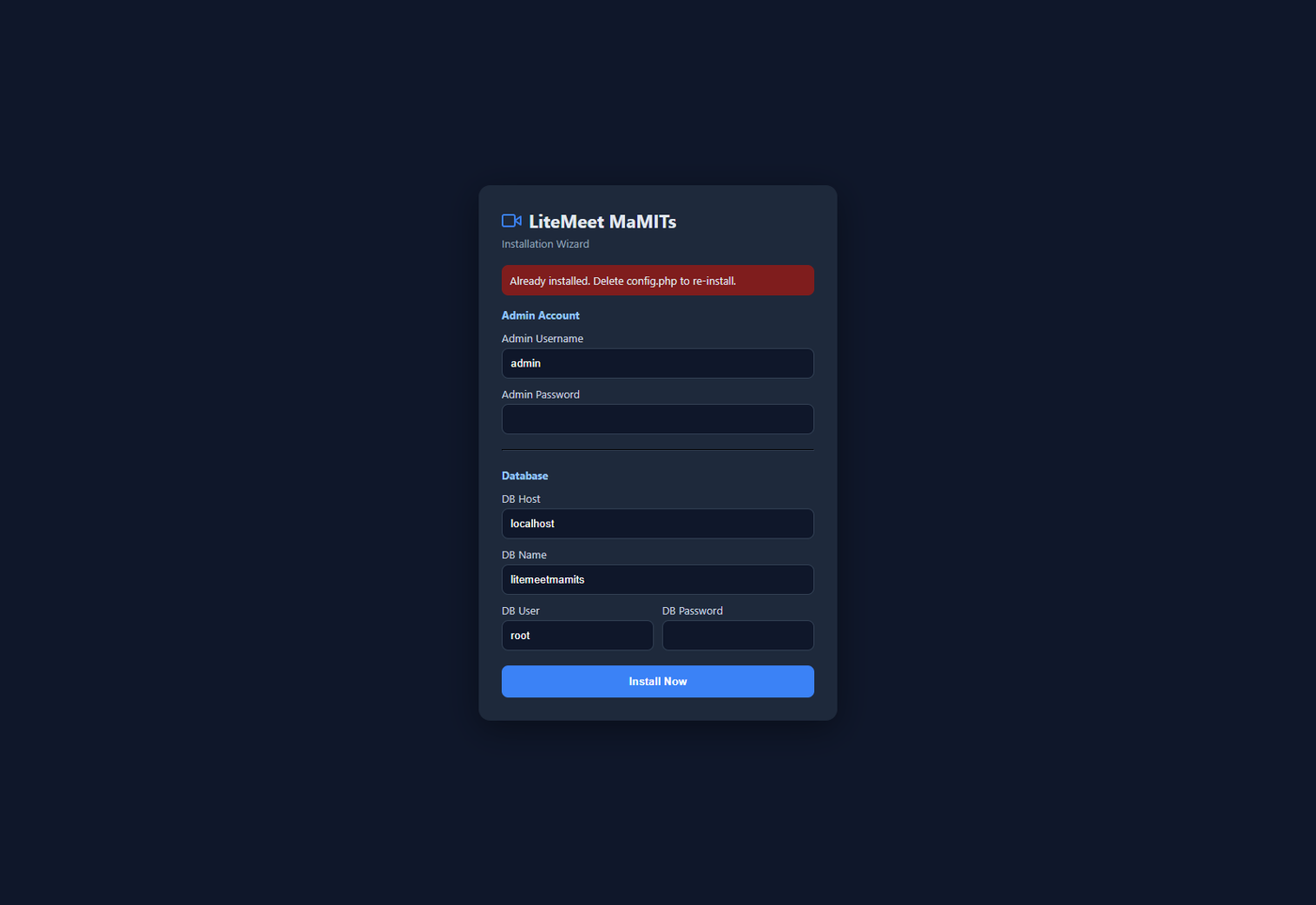
LiteMeet install wizard setup screen
installed · 04:37
30 filters, zero downloads

AR that draws itself, entirely offline

Face-mesh tracking follows head pose, roll and yaw, and every effect is drawn on a live canvas with no external assets, so filters work even when the internet does not. Whatever you see, your peers and the recording see too.

Color

08
  • B&W
  • Sepia
  • Vintage
  • Cool
  • Warm
  • Vivid
  • Noir
  • Cyber

Eyes

05
  • Shades
  • Glasses
  • Heart Eyes
  • Star Eyes
  • Goggles

Head

07
  • Cap
  • Crown
  • Top Hat
  • Graduate
  • Cowboy
  • Flowers
  • Party

Nose / Mouth

04
  • Clown
  • Pig
  • Mask
  • Disguise

AR / 3D

05
  • 3D Mesh
  • VR Headset
  • AR HUD
  • Hologram
  • 3D Depth
LiteMeet Cyber camera filter applied to a live video call
Cyber
LiteMeet VR headset AR filter tracked in real time
VR Headset
LiteMeet Hologram AR filter on a live video call
Hologram
LiteMeet background blur on a video call for privacy
Background blur
LiteMeet virtual background applied to a video call
Custom background
LiteMeet HD Enhance for richer colour and brightness
HD Enhance
The LiteStream studio · webinars & live streaming, self-hosted

STREAM 01

One link.
Unlimited audience.

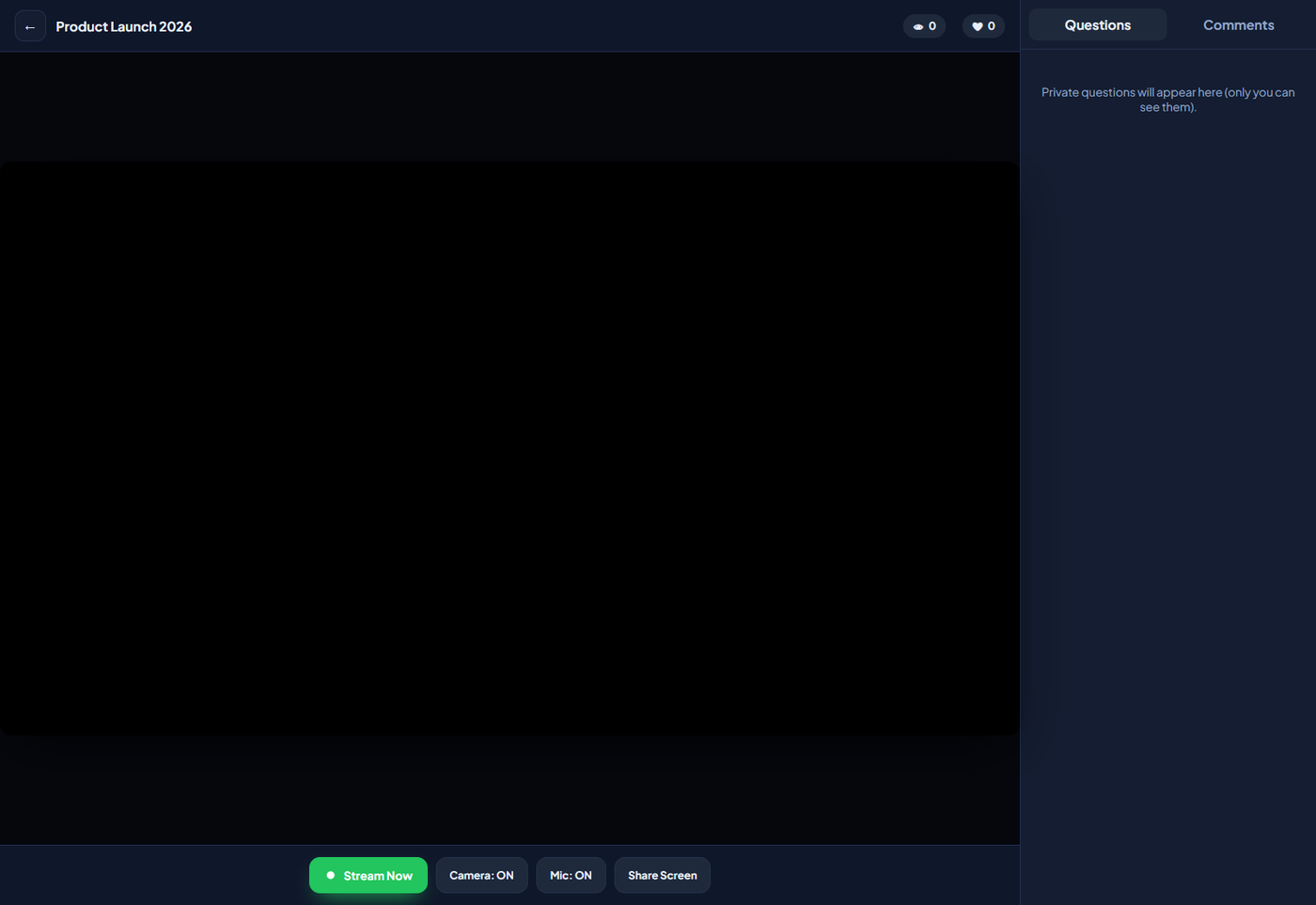
Create a stream, share a single link, and go live with your camera and screen while an unlimited audience watches in a clean player. Make it public and free, or protect it with a join password. Your webinar, on your domain.

One-to-manyFree or password linkYour own domain
LiteStream host studio going live to an unlimited audience
LIVE · 1,842 watching

STREAM 02

The audience arrives
before you do.

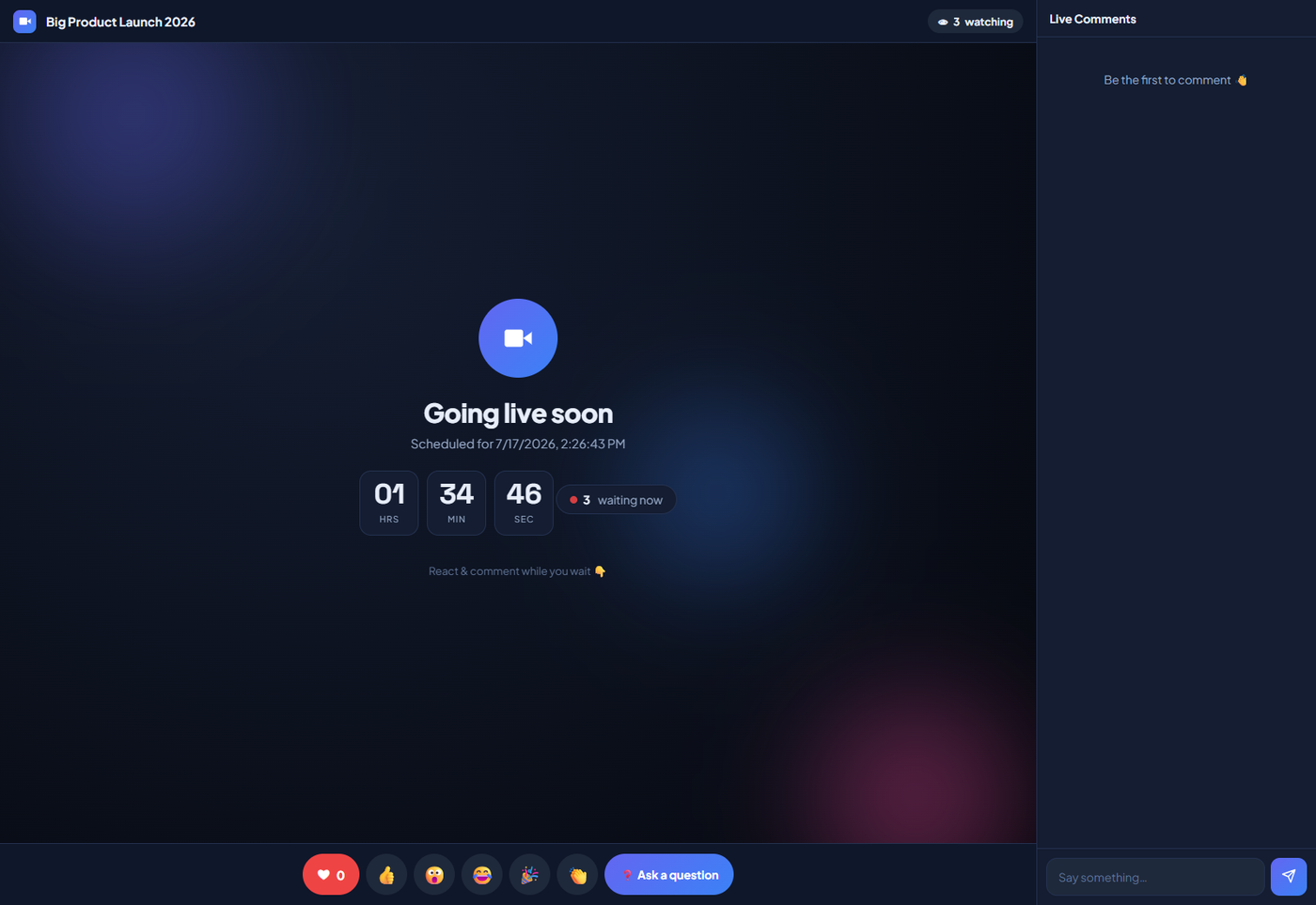
Set an exact date and time, and viewers land on a rich animated waiting room with a live countdown and a waiting count. They can react and comment while they wait, so the room already feels alive the second you press Stream Now.

Scheduled startAnimated countdownWaiting count
LiteStream animated countdown waiting room before a scheduled live stream
Starts in 04:12 · 317 waiting

STREAM 03

Reactions in public.
Questions in private.

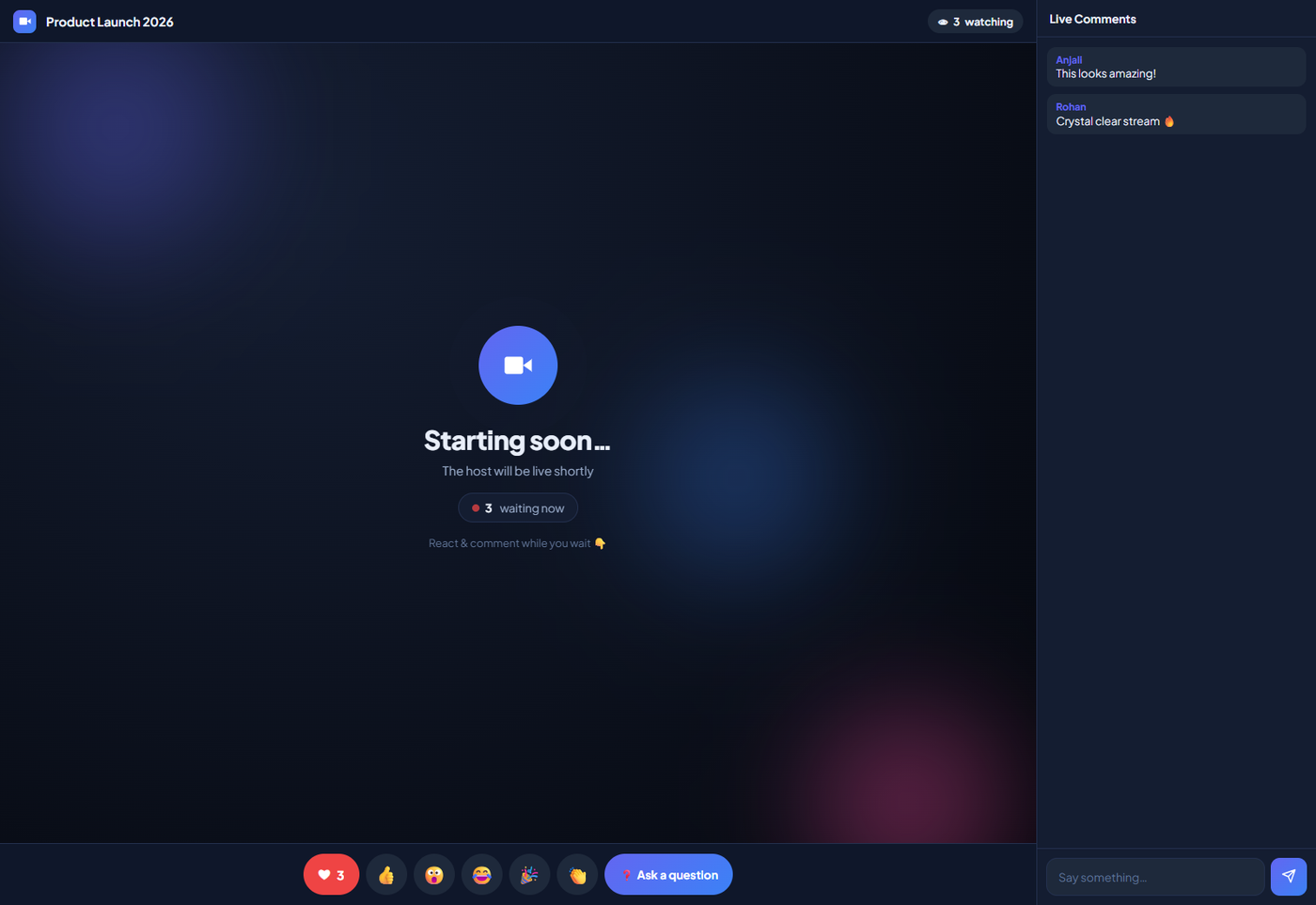
Viewers send reactions that float across everyone's screen, and comment in public after a one-time email, which keeps spam out and quietly builds your contact list. Private questions reach the host alone, perfect for a clean Q&A. Show the live viewer count as is, or scale its display up or down.

Floating reactionsEmail-gated commentsPrivate Q&AViewer count control
LiteStream viewer player with floating reactions and live comments
❤ 2.4k · 168 comments

STREAM 04

Every like, comment
and question, on record.

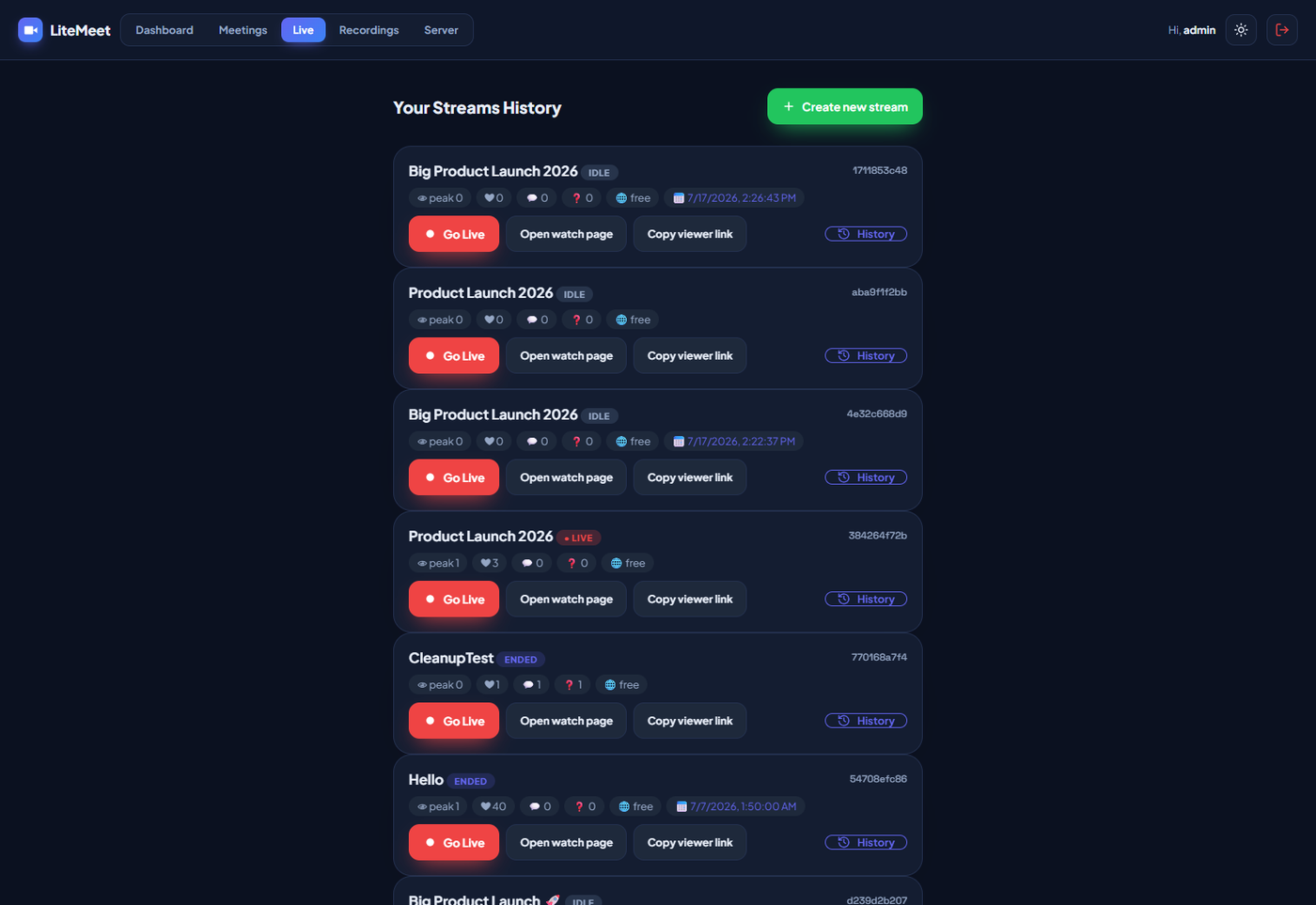
Each stream is saved to a history page with its full story: every reaction, comment and private question, stamped with date and time. Review what your audience asked, follow up on the emails you collected, and run the next one sharper. For very large crowds, put the stream behind a CDN and keep going.

Full stream historyAudience contact listCDN-ready for big events
LiteStream streams history page with per stream stats
history · saved on your host
Numbers that don't blink
6 tiers
adaptive quality, 240p floor to 720p30 ceiling
2.0s
stall watchdog. The freeze is caught before you notice it
31 endpoints
one api.php. Plain PHP, no framework, all yours to extend
30 filters
AR effects drawn on canvas. Zero assets, fully offline
1080p
recording with both-side audio, saved to your server

From ZIP to live call

Five minutes. No server ops. No excuses.

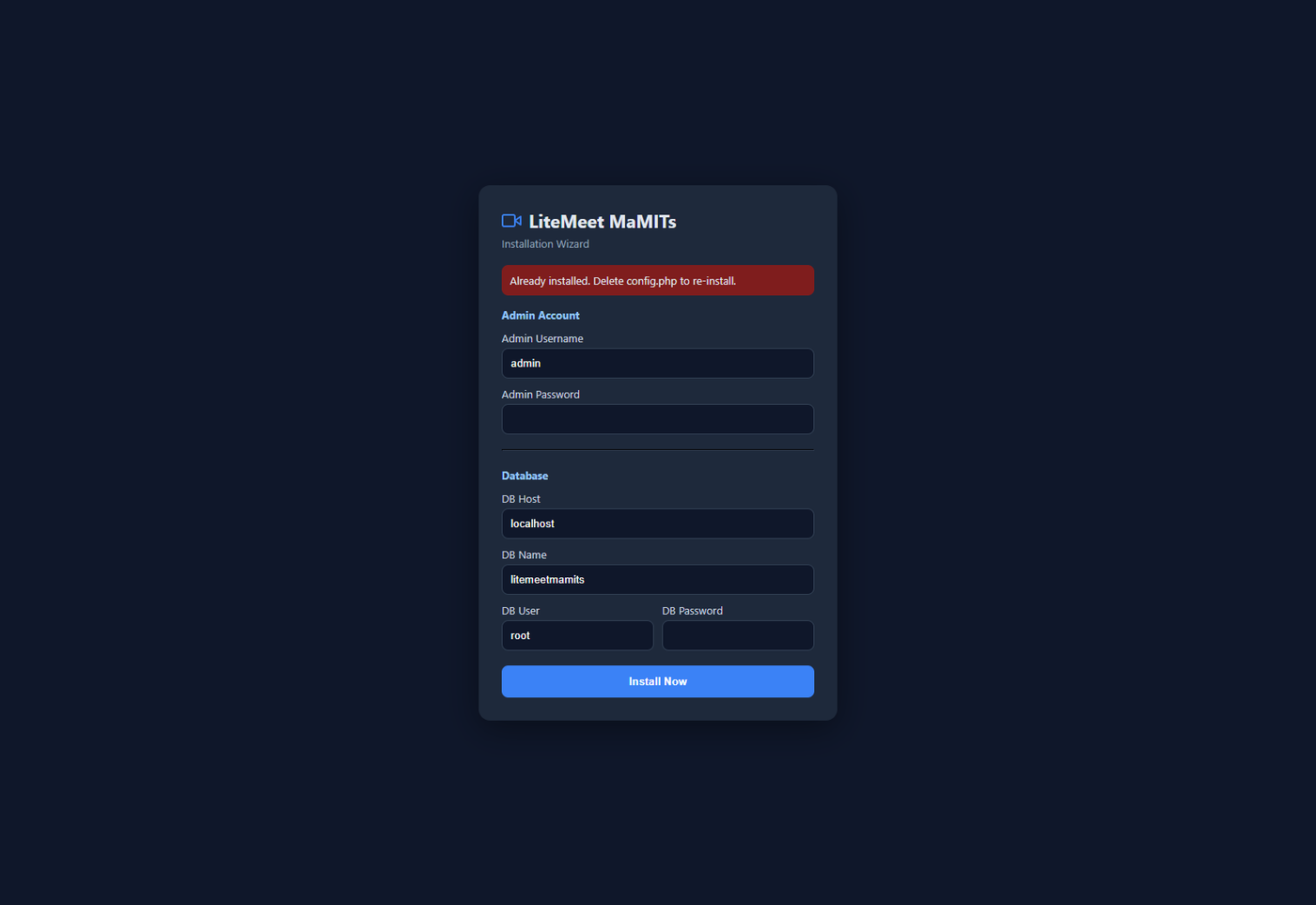
If you can upload a folder and paste your database details, you can run your own meeting platform. There is no build step, no container, no command line. The wizard does the rest.

Upload the files

Drop the folder into your hosting, for example public_html/litemeet, or point a subdomain at it.

Open your site

Visit the URL and the install wizard opens automatically. No configuration files to hunt through.

Enter your details

Type your admin login and database credentials from cPanel. Tables and config.php generate themselves.

Create a room

Log in, click Create Meeting, copy the link and share it. Your first HD call is already running.

LiteMeet five minute install wizard on shared PHP and MySQL hosting

What the wizard quietly handles

  • Eleven database tables created idempotently, so re-runs and upgrades never double-create
  • Missing columns auto-added on upgrade, reserved-word safe
  • Folder writability auto-detected; a database fallback engages if frames/ or recordings/ is read-only
  • Linux/cPanel-safe packaging with forward-slash paths throughout

Requirements: PHP 7.4+/8.x · MySQL / MariaDB · HTTPS for camera & mic · no Node, no Docker, no root.

Who runs on LiteMeet

Built for anyone who refuses to rent their privacy

Education

Online classes with recording, whiteboard and captions, on the school's own hosting.

Healthcare

Privacy-first tele-consults where patient data never leaves the clinic's control.

SMB & agencies

Client calls, demos and internal standups with reactions, chat and file share.

Developers & resellers

Buy once, white-label the UI, and deploy per client on the client's hosting.

Privacy-critical orgs

Legal, finance and government teams that cannot use foreign clouds.

Where it fits

One private engine, a hundred everyday jobs

Once you see LiteMeet as your own meeting and broadcast engine, the ideas open up. These are the places it is already earning its keep, from boardrooms to panchayat halls.

Government & public sector

Citizen data and inter-department briefings often cannot legally sit on a foreign cloud. LiteMeet runs inside the department's own hosting or data centre, so meetings and recordings stay in country, under local control.

Universities & colleges

Hundreds of lectures a day with no per-seat bill. Whiteboard, recording and captions for lessons, and LiteStream for convocations, guest talks and large webinars behind a CDN.

Schools & coaching classes

Every teacher gets a private virtual classroom. Recording lets students revisit lessons, waiting room and lock keep outsiders out, and email-gated stream comments quietly build a student contact list.

Corporate & enterprise

Standups, client demos, board reviews and all-hands broadcasts. Sensitive strategy and pricing talks never touch an outside cloud, and the recording library gives a clean audit trail.

Clinics & telemedicine

Every consultation and recording stays on the clinic's own server, which supports medical data rules far better than a public cloud call. Doctors share reports on screen from a private link.

Legal, finance & consulting

Privileged conversations stay off third-party servers. Password rooms plus full chat and recording records give both privacy and a clean paper trail for compliance.

Agencies & resellers

Rebrand it with your own logo and colours, deploy per client on the client's hosting, and keep the full revenue instead of reselling someone else's subscription.

Events, webinars & creators

Product launches, paid masterclasses, sermons and town halls run as scheduled streams with a countdown room, reactions, public comments and private questions.

Hiring & HR

Interviews, onboarding and training with candidate data kept private. Recording captures interviews for panel review; whiteboard and screen share make technical rounds simple.

Real estate

Live property tours and buyer walkthroughs from a phone camera, on your own branded link, recorded for the buyer to replay.

NGOs & community groups

Donor briefings, volunteer training, live prayers and member meetings on a near-zero budget. Fitness and yoga trainers run live paid classes the same way.

Local government & panchayat

Panchayat and municipal meetings where data must stay local and costs must stay low. Field teams add remote inspections and safety briefings on the same setup.

Not sure where you fit? Tell us your use case on a quick call and we will map it for you. Call now: +91 8602 741312


How it stays light

A hybrid path that never hard-fails

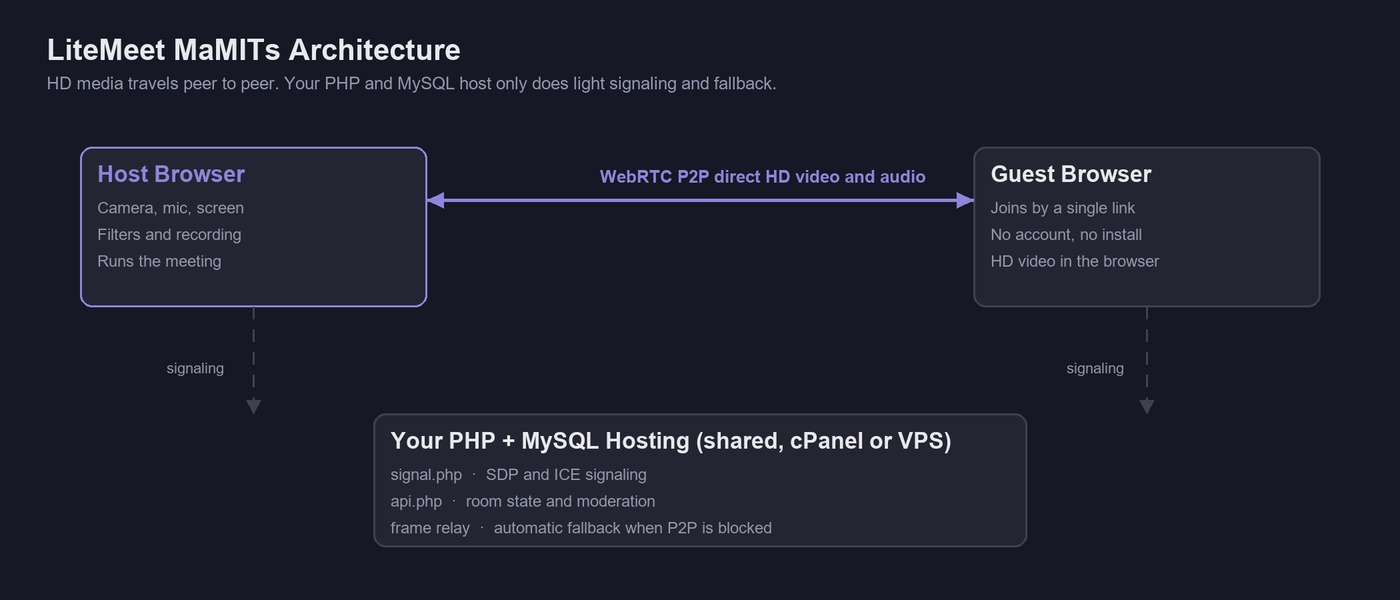
Two delivery paths work together. The primary carries pristine media directly between browsers; the fallback quietly keeps the call alive on your own host when the direct route is blocked. You never choose. LiteMeet switches for you.

Primary · WebRTC P2P

Direct browser-to-browser media

Browser Asignal.phpBrowser B

Media flows peer-to-peer, exactly like a WhatsApp call. Your server only relays the small SDP and ICE signaling, using public STUN and free TURN that you can swap for your own coturn. Perfect-negotiation handling means no glare, no dropped setups.

Fallback · Frame & audio relay

Self-healing on your own host

Canvas framesframe.phpReceivers

When P2P is blocked or stalls, the camera renders to a canvas and posts JPEG frames while audio streams in ~1.2-second chunks, through the filesystem, or your database if the folder is read-only. It engages automatically and hands back to P2P the moment the route recovers.

LiteMeet architecture diagram, WebRTC peer to peer with a light PHP and MySQL host

The whole stack is deliberately boring in the best way: PHP 7.4+/8.x with PDO, a single vanilla-JavaScript app.js, tokenized CSS, and a MySQL schema of eleven clean tables. No framework lock-in, no build tooling, nothing to compile.

PHP 7.4+/8.xMySQL / MariaDB · PDOVanilla JSWebRTCCanvas 2DWeb Audio APIMediaRecorderMediaPipe (optional)31 API endpointsTokenized CSS
For teams who considered building it

Raw WebRTC gives you an engine. This is the car.

WebRTC is brilliant browser technology, and LiteMeet uses the best part of it for direct speed. The trouble starts the moment a plain WebRTC project goes past a simple one-to-one call. Here is what most teams discover, and how LiteMeet already solved it.

A raw WebRTC-only build

Where do-it-yourself gets stuck

  • Needs a media server for groups. Past a couple of people, pure WebRTC wants a heavy SFU. That means a Linux box, constant tuning and real DevOps cost.
  • Needs a TURN relay to be reliable. Office firewalls and mobile networks routinely block direct routes, so you run and pay for your own relay.
  • Cannot run on shared hosting. A normal PHP host cannot run those servers, so small businesses are locked out from day one.
  • Freezes on weak networks and does not always recover on its own.
  • It is only the plumbing. Recording, chat, whiteboard, filters, streaming and admin tools are all still yours to build.
LiteMeet by MaMITs

The finished product, on hosting you own

  • No media server required. Plain PHP and MySQL, the same stack as a normal website, so it installs on shared hosting or a small VPS.
  • A smart fallback built in. When a direct link is blocked or weak, the platform switches to a light server relay automatically and the call keeps going.
  • Self-healing by design. Every connection is watched, a frozen stream is repaired in seconds, and quality climbs back on its own.
  • A full product, not plumbing. Recording, chat, whiteboard, thirty filters, live streaming and admin tools ship ready.
  • Fully yours to extend. Unobfuscated PHP and vanilla JS, 31 endpoints, no framework lock-in.

Developer or agency evaluating the codebase? Message us on WhatsApp and we will talk architecture, honestly. WhatsApp +91 8602 741312

For the builders

31 endpoints. 11 tables. Zero frameworks.

The entire surface of the product, scrolling past at the speed you scroll. Every endpoint is a plain PHP function you can read, and every table is yours to query.

Every pocket, every desk

The room follows your people

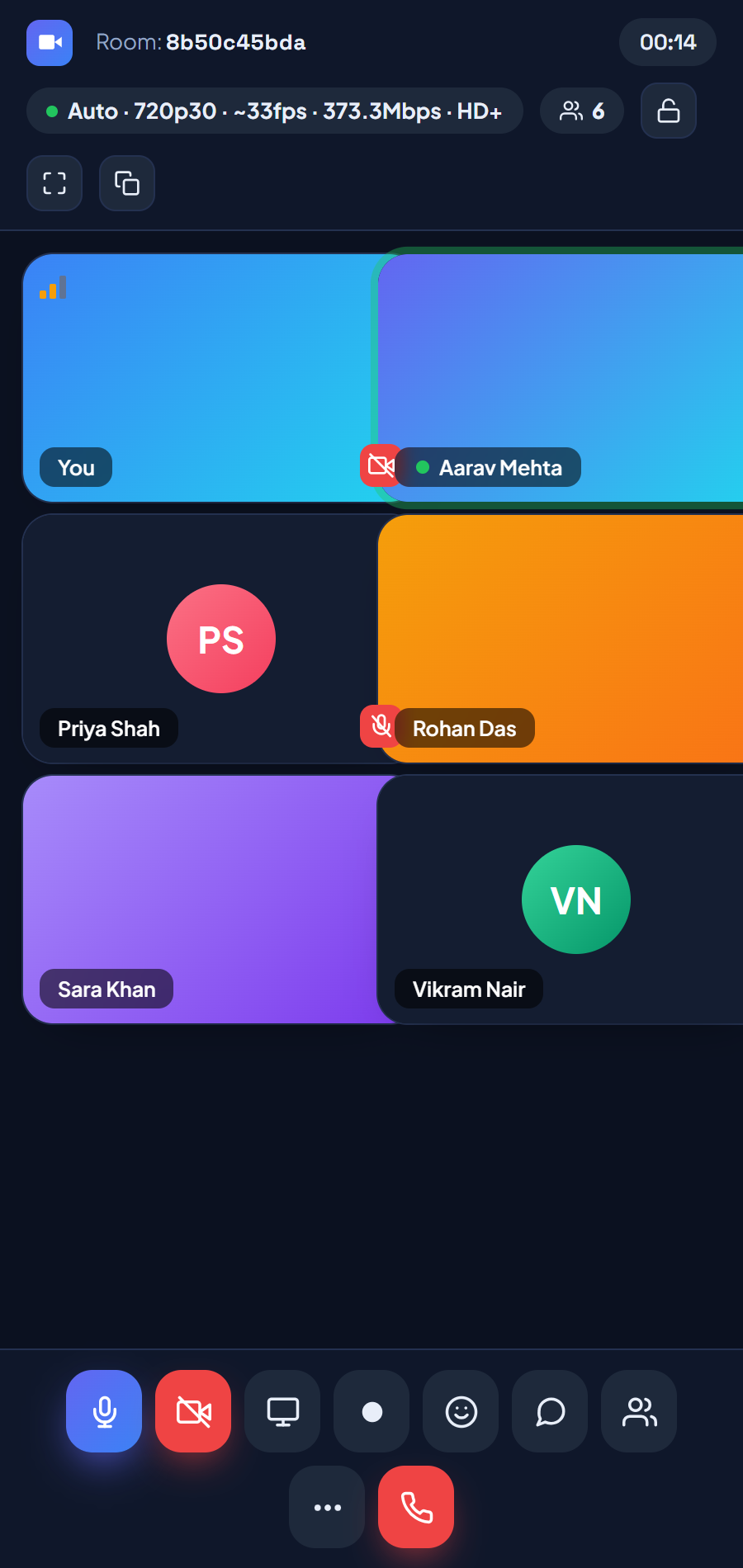
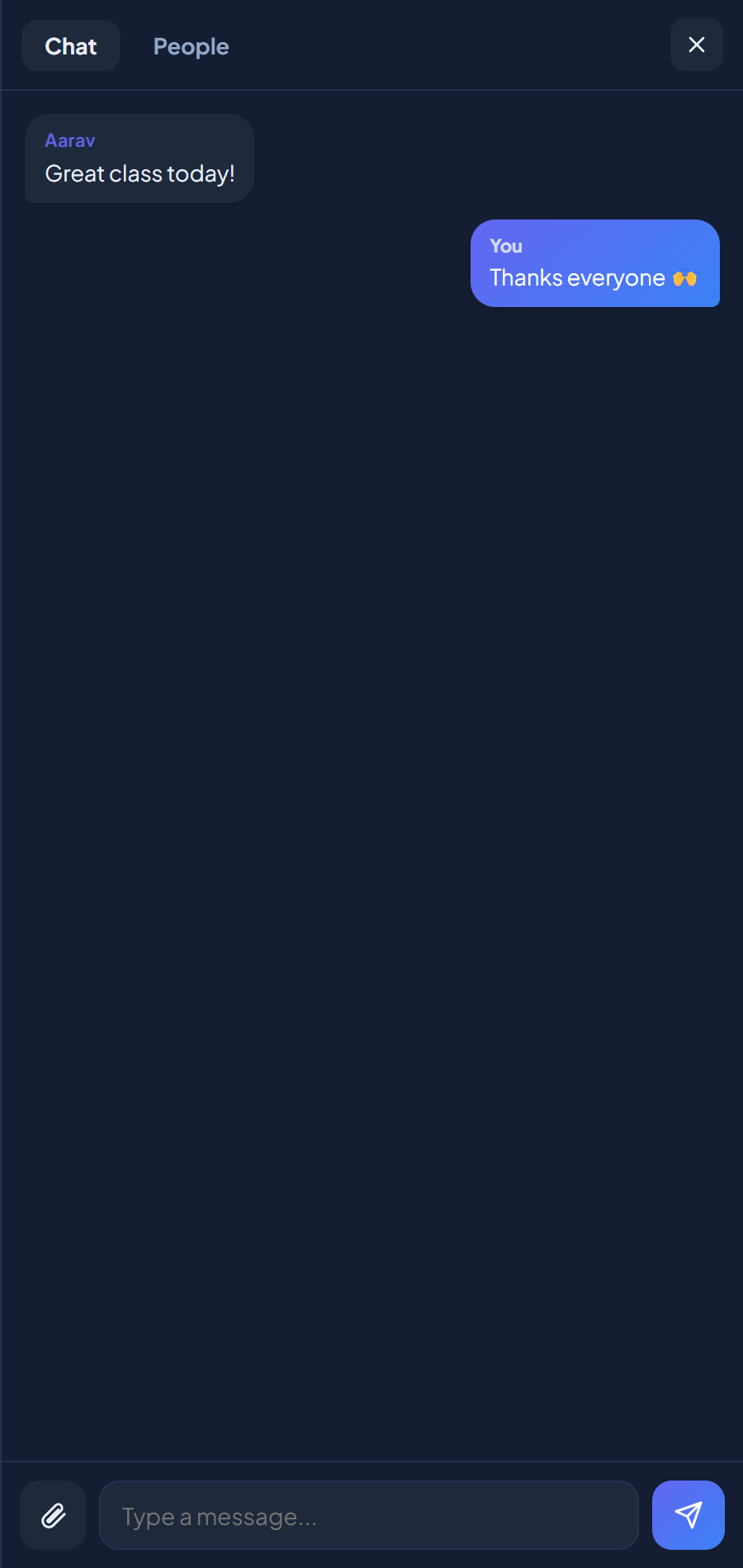
On phones the control dock condenses, panels go fullscreen and hit targets stay generous. Chrome and Edge carry every feature, captions included, while modern Firefox and Safari run the core meeting experience. Guests still need nothing but the link.

LiteMeet responsive mobile video call room on a phone
LiteMeet mobile chat panel during a video call

Built where it will run

Made for Indian networks, budgets and rules

India's Digital Personal Data Protection Act made every school, clinic and business a custodian of the personal data it collects, including what is said, shown and recorded in a video call. The simplest compliance posture is not a longer vendor contract; it is not sending the data out in the first place. Because LiteMeet runs on hosting you choose, including data centers physically in India, recordings, transcripts and attendance never cross a border you didn't approve. When a parent, a patient or an auditor asks where the recordings live, your answer is an address, not a privacy policy.

The commercial side is just as deliberate. There are no monthly forex card charges, no dollar-priced renewals that swing with the exchange rate, and no invoice to re-justify every budget cycle. LiteMeet runs on the same ₹99–299 cPanel plans that already host lakhs of Indian business websites. The platform simply moves in next to your site.

Indian meetings happen on crowded evening 4G in Indore and Guwahati as often as on office fibre in Gurugram, so the pipeline was tuned for exactly that. When the network chokes at 9 pm, the call steps down to its resilient 240p floor instead of freezing; the data-saver mode stretches a student's limited pack; and the 2-second stall watchdog means nobody sits staring at a frozen tile waiting for someone to re-dial. The moment the network breathes again, quality climbs back on its own.

Language is not an afterthought either. Live captions run in Hindi as well as English, so a Hindi-medium student or an elderly patient on a tele-consult can follow along in the language they think in. And because every UI string is centrally editable, a reseller can ship the whole product in whichever language their customers actually speak.

Vocal for local, backed by a local team. Talk to us in Hindi or English: +91 8602 741312 · info@mamits.com


Rated 4.8 / 5 · 650 deployments

Teams who stopped paying the seat tax

"We run every online class for our coaching institute on LiteMeet. It installed on the same Hostinger plan that already runs our website, the recordings sit on our own server, and we stopped paying per-teacher fees entirely. Parents like that classes never touch a foreign cloud."

Priya Nadkarni, Director of Nadkarni Classes, LiteMeet customerPriya NadkarniDirector, Nadkarni Classes

"Patient consultations never leave infrastructure I control. That single fact made LiteMeet the only option my clinic could sign off on. The waiting room and password rooms map cleanly onto how a practice actually runs its appointments."

Dr Imran Sheikh, Physician at Meadowline Clinic, LiteMeet customerDr. Imran SheikhPhysician, Meadowline Clinic

"As an agency we white-label it per client. Deployment is a ZIP upload and a five-minute wizard, then we recolor the tokens and ship. Rock solid for standups and demos, and there is no per-seat invoice to explain to anyone."

Marcus Feld, Founder of Feld Digital, LiteMeet resellerMarcus FeldFounder, Feld Digital

Want to hear it first-hand? WhatsApp us and we will connect you with a running deployment in your industry. WhatsApp +91 8602 741312

People also ask

Direct answers, no scrolling required

Q1

What is LiteMeet by MaMITs?

LiteMeet by MaMITs is a self-hosted video conferencing platform from India that installs on ordinary PHP + MySQL shared hosting in about five minutes. It delivers HD peer-to-peer meetings, screen share, 1080p recording, a shared whiteboard, live Hindi and English captions and 30 AR filters, with a one-time license, no media server and no per-seat fees.

Q2

Is LiteMeet a good Zoom alternative for India?

Yes, for teams that want ownership. Twenty Zoom Pro seats cost about ₹2.75 lakh every year at mid-2026 list price; LiteMeet replaces that with a one-time license running on ₹99–299 per month hosting. Recordings and chat stay on your own server, which also simplifies DPDP data-residency answers.

Q3

Can video conferencing really run on shared hosting?

Yes. LiteMeet needs only PHP 7.4+ and a MySQL database. No VPS, Docker or media server. Video travels peer-to-peer between browsers, so the server only handles signaling; a lightweight frame relay on the same host takes over automatically when peer-to-peer is blocked.

Q4

How much does self-hosted video conferencing cost?

With LiteMeet, the software is a one-time purchase and the only recurring cost is hosting, from about ₹1,200 a year on typical Indian shared plans. There is no per-seat pricing and no usage metering, so the cost stays flat as your team grows.

Q5

Is LiteMeet safe for online classes and tele-consults?

Yes. Rooms support waiting rooms, passwords, locking and removal of participants; admin passwords are hashed; SQL is parameterized; and every recording, transcript and attendance record stays on infrastructure you control. LiteMeet is rated 4.8 out of 5 across 650 verified deployments.

Q6

Does LiteMeet include live streaming and webinars?

Yes. The built-in LiteStream studio lets a host go live to an unlimited audience from a single link, with a scheduled start time, an animated countdown waiting room, floating reactions, email-gated public comments, private questions only the host sees, a live viewer count and a full stream history. For very large audiences, place the stream behind a CDN such as Cloudflare.

Q7

Is LiteMeet Made in India?

Yes. LiteMeet is built and maintained in India by MaMITs Pvt Ltd, with support in English and Hindi. It is a vocal for local choice for schools, clinics, businesses and government teams that want Indian software on Indian hosting. Call or WhatsApp +91 8602 741312 to talk to the team directly.

Questions, answered plainly

Everything you'd ask before you deploy

Does LiteMeet really run on shared hosting like cPanel or Hostinger?
Yes. LiteMeet was designed for ordinary PHP 7.4+/8.x hosting with a MySQL or MariaDB database, the kind that comes with cPanel and Hostinger plans. It needs no media server, no Docker, no Node.js and no root access. You upload the files, open your site, and the install wizard creates the database tables and configuration automatically.
How is HD video possible without a media server?
Media travels peer-to-peer over WebRTC, directly between browsers, so your server never touches the heavy video traffic. When P2P is blocked or stalls, LiteMeet automatically switches to a lightweight frame-and-audio relay on your own host and switches back the moment the connection heals, so the call never permanently freezes.
Where are recordings and chat history stored?
Everything stays on your server. Recordings save to a recordings folder on your own hosting, chat transcripts live in your own MySQL database, and no meeting data ever leaves infrastructure you control.
Are there any monthly or per-seat fees?
No. LiteMeet is licensed once and is yours. There is no per-seat pricing, no monthly subscription and no usage metering. Your only ongoing cost is the hosting you already pay for.
Can I white-label LiteMeet for my clients?
Yes. The product ships as 100% editable PHP and vanilla JavaScript with tokenized CSS, with no build step and no compiled bundles. Agencies and resellers routinely change the logo, name, colors and feature set, then deploy it per client on the client's own hosting.
What do participants need to join a meeting?
Just the link. Guests open the invite link, type a name (and the room password if you set one), and wait for the host to accept them. No account, no signup and no app install.
Does it work on mobile?
Yes. The room interface is responsive. The control dock condenses and panels go fullscreen on phones. Chrome and Edge get every feature including live captions; modern Firefox and Safari support the core meeting experience.
Is HTTPS required?
For camera and microphone access, yes, because browsers require a secure origin. Most hosts include free SSL certificates, so enable one before going live. Localhost is exempt during development.
How does the one-time license actually work?
You pay once and receive the complete, unobfuscated source: every PHP file, the single app.js, the tokenized stylesheets and the install wizard. There is no activation server, no license key that phones home, and no feature that switches off later. Because the code lives on your hosting, nothing we do, or stop doing, can take a running deployment away from you. Updates are shipped as new versions you can apply when it suits you; the upgrade-safe installer adds missing tables and columns without touching your data.
How many participants can one meeting handle?
LiteMeet uses a peer-to-peer mesh, so media never loads your server. Each browser sends video to the others directly. That makes it excellent for the meetings most teams actually have: classes, consults, standups and client calls in the small-room range. Because every extra peer adds upload work for each participant, very large webinars are better served by adding your own TURN server for reliability, and an optional SFU add-on for big rooms is on the roadmap. The adaptive tier system also steps quality down gracefully as rooms grow, so calls degrade smoothly instead of collapsing.
What happens if my hosting is slow or restrictive?
LiteMeet assumes modest hardware and plans for it. A server-info probe watches your host's load and caps video quality before the machine struggles; if the frames or recordings folders are not writable, the installer detects it and falls back to database storage automatically with a chmod hint; and if outbound P2P is blocked entirely, the frame-and-audio relay keeps the call alive at reduced quality rather than failing. The design goal throughout is graceful degradation. The platform never hard-fails because of the environment it landed on.
Does self-hosting help with DPDP Act compliance in India?
It gives you the strongest possible starting point. Recordings, chat transcripts and attendance data stay on infrastructure you control, in the data center and country you choose, Indian data centers included, and you set your own retention and deletion policy rather than inheriting a vendor's. Full DPDP compliance also involves consent and process, so confirm your program with your own advisor; think of LiteMeet as the architecture that makes the data-residency answers easy.
Do live captions work in Hindi?
Yes. Live captions run in both Hindi and English using the browser's built-in speech recognition in Chrome and Edge. Captions are broadcast to everyone in the room and auto-hide when the speaker pauses. Useful for classes, tele-consults and any meeting where following along in Hindi matters.
Will video hold up on slow or congested Indian mobile networks?
That is exactly what the adaptive pipeline was tuned for. A resilient 240p floor tier, a data-saver mode and a 2-second stall watchdog keep the call alive on crowded evening 4G; quality climbs back automatically within seconds of the network recovering; and brief signal blips reconnect seamlessly without dropping the guest from the room.
Does LiteMeet include live streaming and webinars?
Yes. The built-in LiteStream studio lets a host go live to an unlimited audience from a single link, with a scheduled start time, an animated countdown waiting room, floating live reactions, email-gated public comments, private questions that only the host sees, a live viewer count with display control, and a full stream history. For very large audiences, place the stream behind a CDN such as Cloudflare, which has a free tier.
Is LiteMeet Made in India?
Yes. LiteMeet is built and maintained in India by MaMITs Pvt Ltd, with support in English and Hindi. It is a vocal for local choice for schools, clinics, businesses and government teams that want Indian software running on Indian hosting, with data that never leaves the country unless you choose so.
How is LiteMeet different from building on raw WebRTC?
Raw WebRTC is only the media pipe. Past a simple one-to-one call it needs an SFU media server, a TURN relay, a Linux box and real DevOps time, and it still gives you no recording, chat, whiteboard or admin tools. LiteMeet keeps the direct WebRTC speed, adds an automatic light relay fallback and self-healing recovery, ships the complete product layer on top, and runs it all on plain PHP and MySQL shared hosting.
Do you help with installation and after-sales support?
Yes. Most buyers finish the five minute wizard on their own, and the MaMITs team is available on phone, WhatsApp and email for guided installation, white-label setup and ongoing support, in English and Hindi. Reach us at +91 8602 741312 or info@mamits.com.
How do I contact MaMITs for a demo or purchase?
Call or WhatsApp +91 8602 741312, or email info@mamits.com. We will walk you through a live demo on your own screen, share pricing, and if you like it, have you installed and running the same day.

Question not on the list? Ask it directly, a human answers. WhatsApp · +91 8602 741312 · info@mamits.com

Talk to us

One number, one inbox, real humans

No ticket queues, no chatbots pretending to care. Call, WhatsApp or email the same small team that builds LiteMeet, in English or Hindi, and get a straight answer about demos, pricing, white-labelling or your specific hosting.

MaMITs Pvt Ltd · Made in India · Proudly vocal for local · www.mamits.com

Own it today

Install once. Own it forever.The seat tax ends here.

Deploy a complete HD meeting platform on the hosting you already have, with your data, your branding and your rules. No renewals, no vendor holding your recordings hostage.

4.8 / 5 trusted across 650 self-hosted deployments

LiteMeet is built and maintained by MaMITs Pvt Ltd. Every license includes the full source, the install wizard and upgrade-safe updates, so the platform you deploy today keeps working, on your terms, for as long as you choose to run it.

TOP
});