- Floor 01
Project hero
The first screen tells the buyer what, where and for whom in one look, with one clear next step.
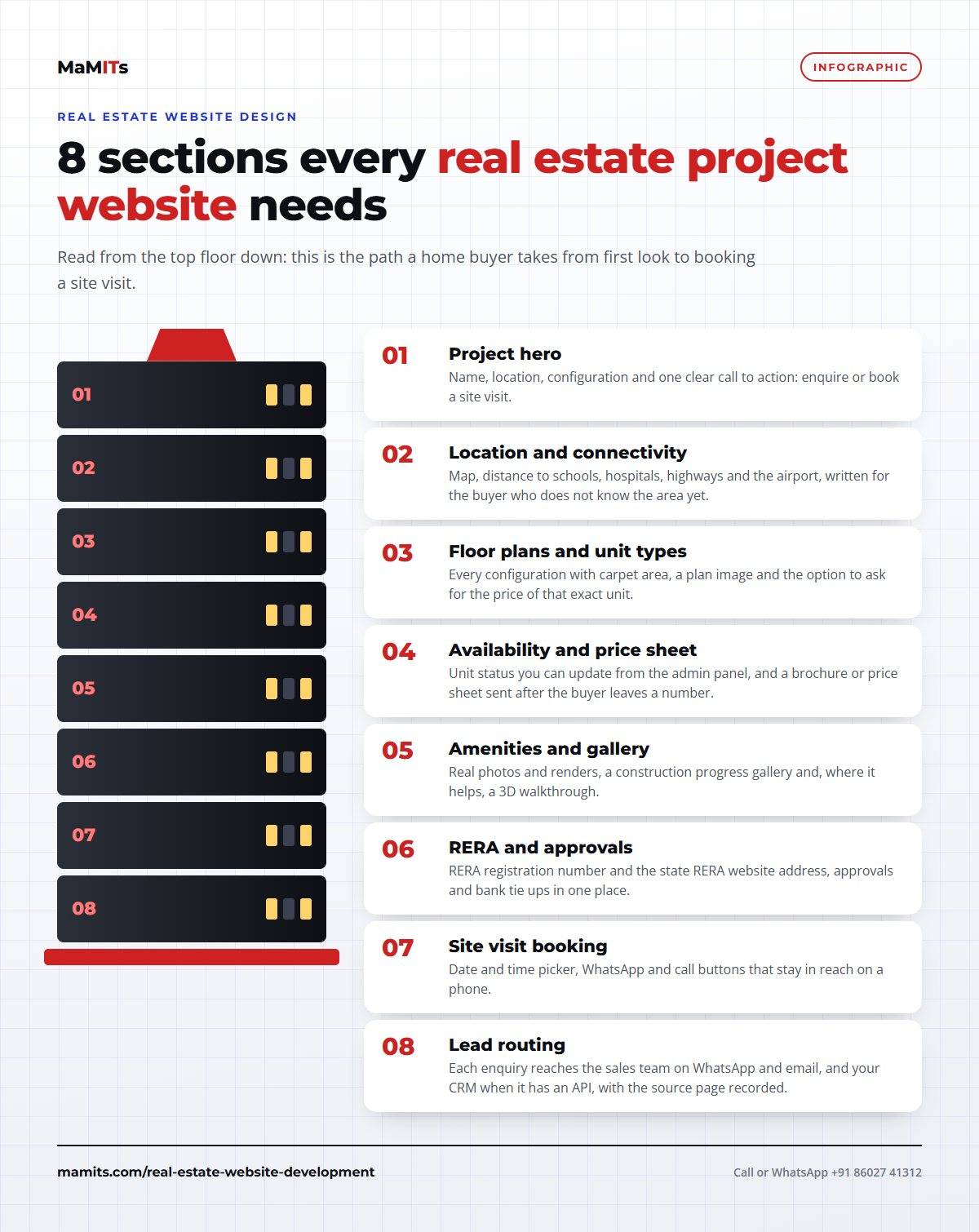
Name, location, configuration and one clear call to action: enquire or book a site visit.
- Floor 02
Location and connectivity
Buyers outside your city judge the location first. Distances to daily needs, written plainly, beat a decorative map.
Map, distance to schools, hospitals, highways and the airport, written for the buyer who does not know the area yet.
- Floor 03
Floor plans and unit types
Each configuration on its own, with carpet area and a way to ask the price of that exact unit.
Every configuration with carpet area, a plan image and the option to ask for the price of that exact unit.
- Floor 04
Availability and price sheet
Availability that your team updates, and a price sheet sent only after the buyer leaves a number.
Unit status you can update from the admin panel, and a brochure or price sheet sent after the buyer leaves a number.
- Floor 05
Amenities and gallery
Real photos and renders, a monthly construction update and, where it helps, a 3D walkthrough.
Real photos and renders, a construction progress gallery and, where it helps, a 3D walkthrough.
- Floor 06
RERA and approvals
RERA number, RERA website address, approvals and bank tie ups in one calm, readable block.
RERA registration number and the state RERA website address, approvals and bank tie ups in one place.
- Floor 07
Site visit booking
A day and time picker that works with one thumb, plus WhatsApp and call buttons that never disappear.
Date and time picker, WhatsApp and call buttons that stay in reach on a phone.
- Floor 08
Lead routing
Every enquiry lands on WhatsApp and email, and in your CRM when it has an API, with the page it came from.
Each enquiry reaches the sales team on WhatsApp and email, and your CRM when it has an API, with the source page recorded.