Dock with live previews
Your apps and open windows in one dock, with smooth magnification and live window previews on hover.

Website Designing and Mobile Apps Development in Bhopal, Digital Marketing, SEO Company - MaMITs
Phone No. +91-860-274-1312
Email: info@mamits.com
MaMITs
MaMITs, 144, Durgesh Vihar, JK Road, Bhopal, Madhya Pradesh, India 462022
 Our product · Windows 11 app
GlassDock is a Windows 11 dock app made by MaMITs in Bhopal. It adds a dock, a glass menu bar, widgets, Control Center and Quick Search on top of Windows, and brings your phone's calls, messages and files to your PC. Your apps and files stay exactly where they are.
Windows 11 (64-bit) · Official website: glassdock.in
Quick summary
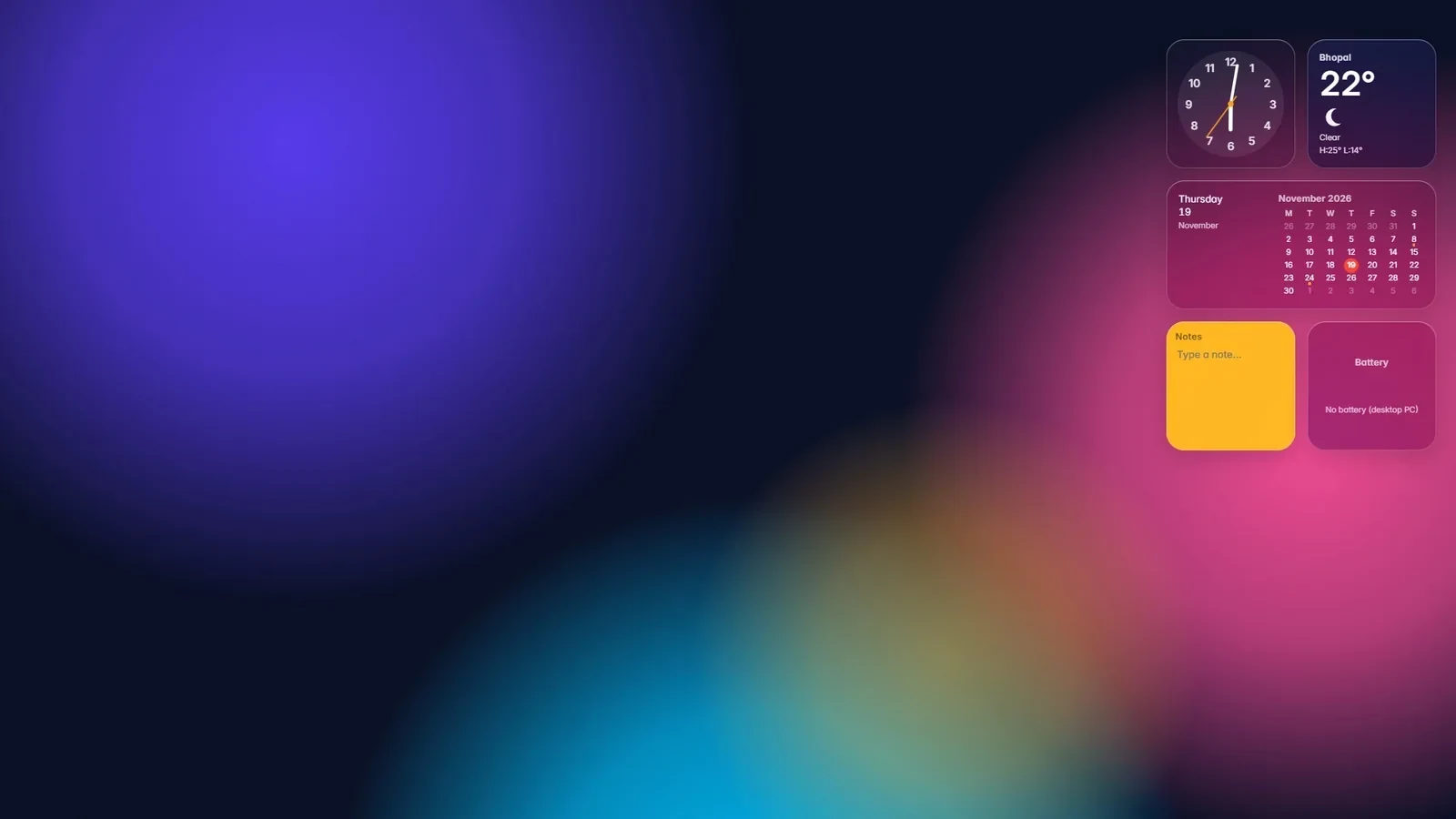
GlassDock is our own Windows 11 product. It sits on top of Windows: one dock for your apps, a glass menu bar, desktop widgets, Control Center, Quick Search, phone calls and messages over Bluetooth, and Drop for sending files between phone and PC. Quit it and the normal Windows taskbar comes back. Everything about it, including the download, is on the official website glassdock.in.
Features
Eight things you will use every day. Each one has its own page on glassdock.in.
Your apps and open windows in one dock, with smooth magnification and live window previews on hover.
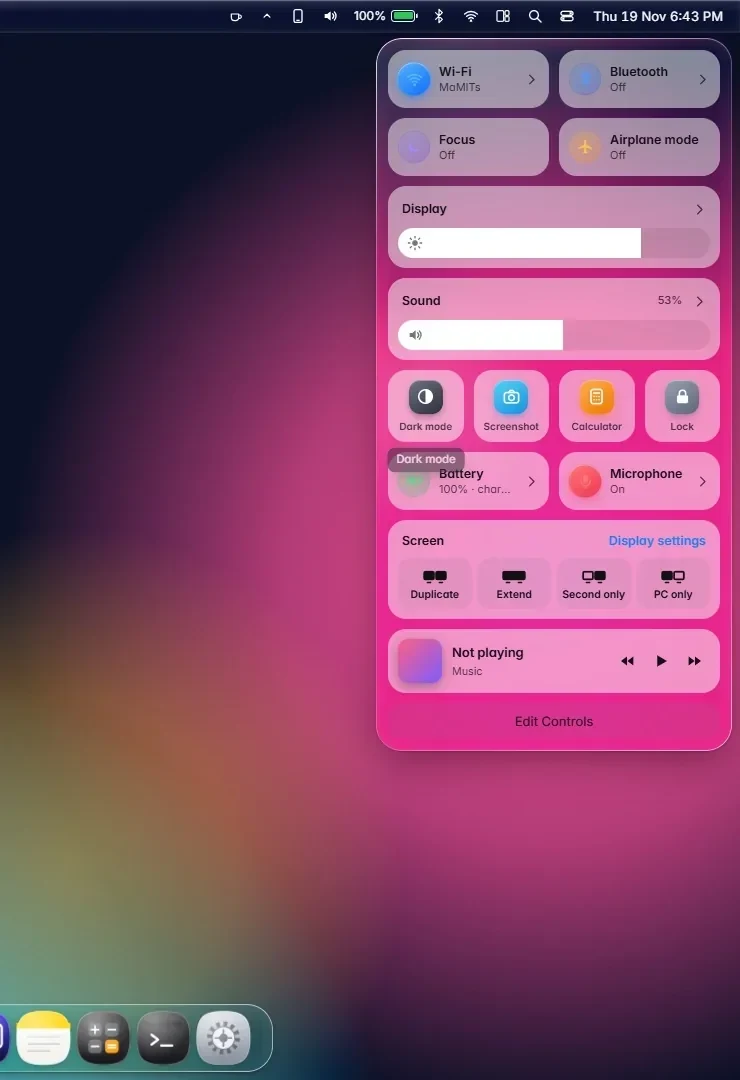
Wi-Fi, Bluetooth, sound, battery and the clock along the top, each one a click away.
Brightness, volume, dark mode and Focus in one glass panel.
Press Alt + Space to find apps, files and quick answers.
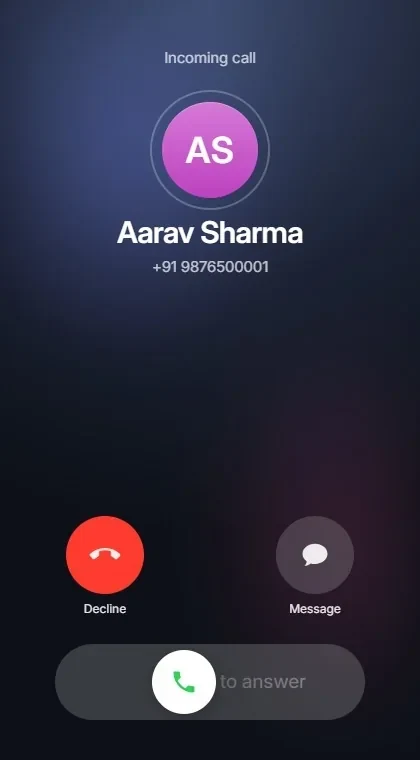
Calls ring on your PC over Bluetooth. Answer, decline, dial and mute without touching the phone.
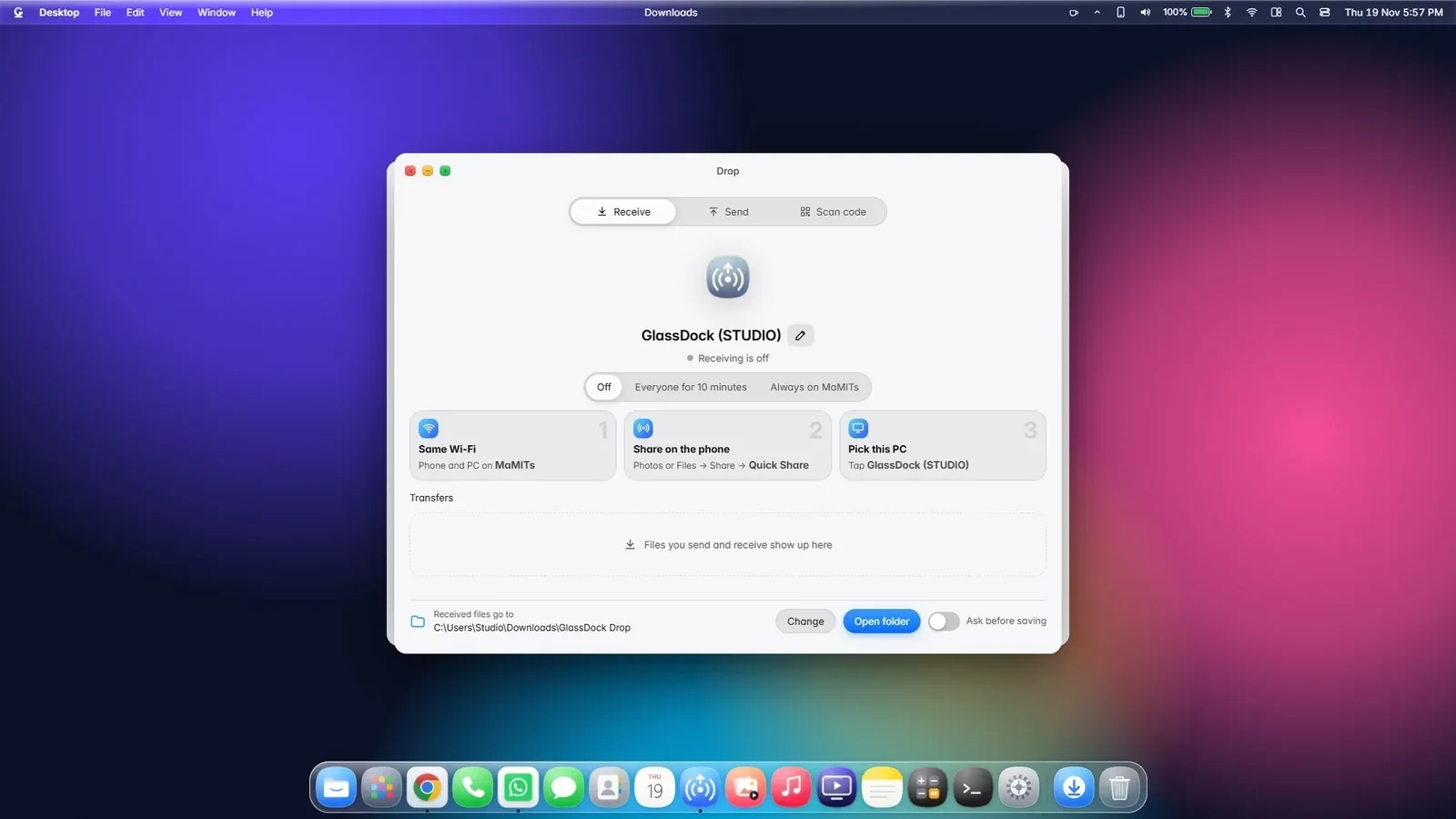
Send photos and files between phone and PC over Wi-Fi, without a cable.
Your photos, videos, songs and streaming services, each in its own glass window.
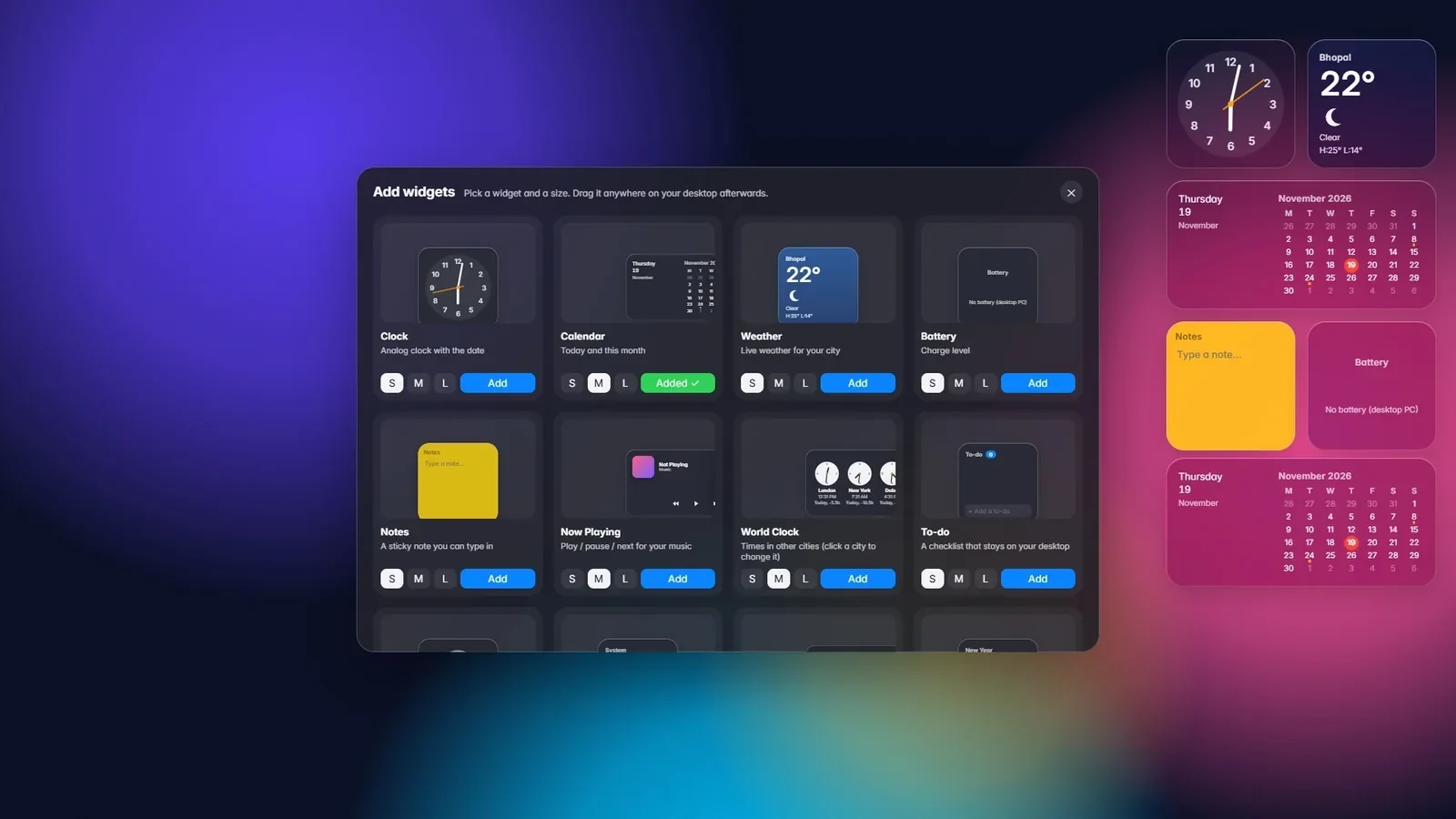
22 desktop widgets, live wallpapers and a glass look you can set to your taste.
Your phone on your PC
Yes. Pair your phone over Bluetooth once and calls ring on your PC. You can answer, decline, dial and mute, and read and send messages on a full keyboard. No app is needed on the phone.
What else works (contacts, messages, music) depends on the phone. The Phone page on glassdock.in lists it plainly.
Drop
Open Drop on the PC. Android phones send with Quick Share, which is already on most phones. Any other phone scans a code and uses a simple page in its browser.
Your PC asks before it accepts anything, and files are saved in a Drop folder inside Downloads.
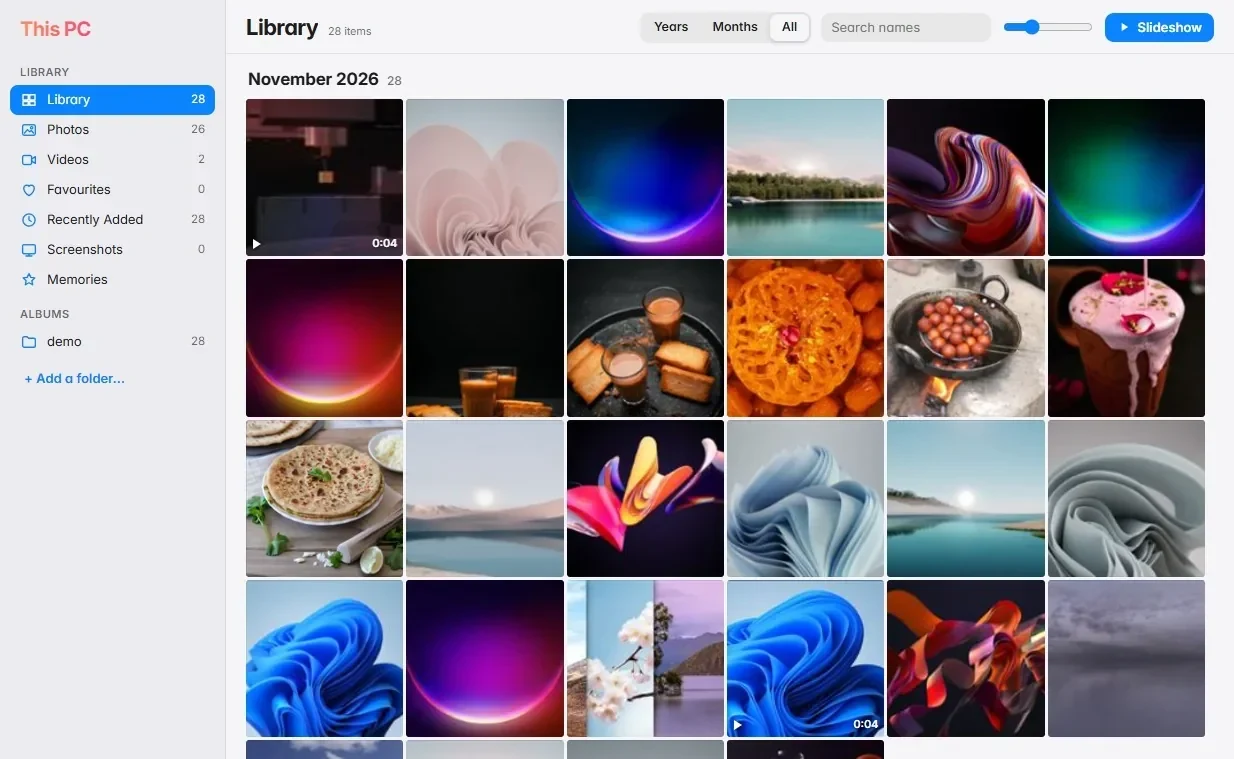
Photos, music and shows
Moments shows the photos and videos on your PC in one gallery and plays almost any video format. Music keeps your own songs and your streaming services in one window. Lounge puts the shows you watch side by side.
You sign in to streaming services with your own accounts.
Make it yours
Yes. Pick from 22 desktop widgets, drawn and live wallpapers, light or dark mode, and how clear the glass looks. The dock can sit at the bottom, left, right or top, and can hide itself until you need it.
Safe for your Windows
Quit GlassDock from the logo menu and the normal Windows taskbar, wallpaper and pointers come back at once.
Photos, music and files are read from your own PC. Nothing is uploaded to us.
GlassDock has no voice assistant. It refuses microphone and camera requests in its own windows.
There are no ads inside GlassDock and it does not track what you do.
Get it
Three steps. The download link is on the GlassDock Download page.
Made in Bhopal
GlassDock is built by MaMITs, a software company in Bhopal, Madhya Pradesh, with 10+ years of building websites, mobile apps and custom software. It sits next to our other products, like MaMITs VTS weighbridge software. See everything we build on Our Services.
FAQ
GlassDock is a Windows 11 dock app made by MaMITs in Bhopal, India. It adds a dock, a glass menu bar, widgets, Control Center, App Grid and Quick Search on top of Windows. The official website is glassdock.in.
From the Download page of the official website, glassdock.in. GlassDock installs and updates through the Microsoft Store.
No. GlassDock is made for Windows 11, 64-bit.
No. GlassDock runs on top of Windows and keeps a note of your taskbar, wallpaper and pointer settings. When you quit, they come back as they were.
No. Calls, contacts and messages work over standard Bluetooth. Drop works with Quick Share on Android, or with a page in the phone's browser after scanning a code.
MaMITs, a software company in Bhopal, Madhya Pradesh, with 10+ years of building websites, apps and software. GlassDock is one of our own products.
More answers on the GlassDock FAQ page.
Screens, the 90-second film, every feature and the download: all on glassdock.in.